

GPT Image Generation Models Prompting Guide
A production-focused guide for OpenAI gpt-image models, covering model parameters, prompting fundamentals, and prompt-first use case references.
1. Introduction
OpenAI's gpt-image generation models are designed for production-quality visuals and controllable creative workflows. They work well for both professional design work and iterative content creation, with practical quality-latency tradeoffs.
Key capabilities:
- High-fidelity photorealism with natural lighting, accurate materials, and rich color rendering
- Flexible quality-latency tradeoffs with strong low-quality performance
- Robust identity preservation for edits and multi-step workflows
- Reliable text rendering inside images
- Strong performance on structured visuals (infographics, diagrams, panels)
- Precise style control and style transfer with minimal prompting
- Strong real-world knowledge and reasoning
This guide focuses on gpt-image-2, currently the strongest model in this family for production workflows.
1.1 OpenAI Image Model Parameters
Model Summary (April 21, 2026)
| Model | outputQuality | input_fidelity | Resolutions | Recommended use |
|---|---|---|---|---|
gpt-image-2 | low, medium, high | Disabled for this model | Any valid size under constraints below | Default for new builds. Best for quality-first generation/editing, photorealism, text-heavy images, compositing, identity-sensitive edits. |
gpt-image-1.5 | low, medium, high | low, high | 1024x1024, 1024x1536, 1536x1024, auto | Keep only for validated legacy workflows during migration. |
gpt-image-1 | low, medium, high | low, high | 1024x1024, 1024x1536, 1536x1024, auto | Legacy compatibility only. |
gpt-image-1-mini | low, medium, high | low, high | 1024x1024, 1024x1536, 1536x1024, auto | Throughput and cost-sensitive batch generation. |
gpt-image-2 Size Constraints
gpt-image-2 supports any size that satisfies all constraints:
- Maximum edge length
< 3840px - Both edges must be multiples of
16 - Long-edge to short-edge ratio must be
<= 3:1 - Total pixels
<= 8,294,400 - Total pixels
>= 655,360
If output exceeds 2560x1440 (2K), treat it as more experimental due to higher variability.
Popular gpt-image-2 Sizes
| Label | Resolution | Notes |
|---|---|---|
| HD portrait | 1024x1536 | Standard portrait |
| HD landscape | 1536x1024 | Standard landscape |
| Square | 1024x1024 | General default |
| 2K / QHD | 2560x1440 | Recommended upper reliability boundary |
| 4K / UHD | 3840x2160 | Experimental upper-end target; if strict < 3840, use nearest valid size like 3824x2144 |
Model Choice Guidance
- Choose
gpt-image-2by default for most production workflows. - Choose
gpt-image-2withquality="low"for latency and cost-sensitive high-volume cases. - Keep
gpt-image-1.5andgpt-image-1only for short-term backward compatibility.
Upgrade Path from gpt-image-1.5 / gpt-image-1
- Upgrade to
gpt-image-2for customer-facing assets, photorealistic generation, editing-heavy flows, brand-sensitive creatives, and text-in-image work. - Consider
gpt-image-1-minionly when cost reduction is the primary goal for lower-stakes outputs. - Start migration with existing prompts, then retune after comparing quality, latency, and retry rates on real traffic.
2. Prompting Fundamentals
The following prompting fundamentals are applicable to GPT image generation models. They are based on patterns that repeatedly showed up in alpha testing across generation, edits, infographics, ads, human images, UI mockups, and compositing workflows.
- Structure + goal: Write prompts in a consistent order (background/scene -> subject -> key details -> constraints) and include the intended use (ad, UI mock, infographic) to set the mode and polish level. For complex requests, use short labeled segments or line breaks instead of one long paragraph.
- Prompt format: Use the format that is easiest to maintain. Minimal prompts, descriptive paragraphs, JSON-like structures, instruction-style prompts, and tag-based prompts can all work well as long as intent and constraints are clear. For production systems, prioritize a skimmable template over clever prompt syntax.
- Specificity + quality cues: Be concrete about materials, shapes, textures, and visual medium (photo, watercolor, 3D render), and add targeted quality levers only when needed (for example, film grain, textured brushstrokes, macro detail). For photorealism, include
photorealisticdirectly in the prompt to strongly engage that mode. - Latency vs fidelity: For latency-sensitive or high-volume use cases, start with
quality="low"and evaluate whether it meets your requirement. For small or dense text, detailed infographics, close-up portraits, identity-sensitive edits, and high-resolution outputs, comparemediumorhighbefore shipping. - Composition: Specify framing and viewpoint (close-up, wide, top-down), perspective/angle (eye-level, low-angle), and lighting/mood (soft diffuse, golden hour, high-contrast) to control the shot. If layout matters, call out placement constraints.
- People, pose, and action: For people in scenes, describe scale, body framing, gaze, and object interactions (for example, full body visible, feet included, gaze direction, hand placement). These details help body proportion, action geometry, and gaze alignment.
- Constraints (what to change vs preserve): State exclusions and invariants explicitly (for example, no watermark, no extra text, no logos/trademarks, preserve identity/geometry/layout). For edits, use
change only X+keep everything else the same, and repeat preserve constraints each iteration to reduce drift. - Text in images: Put literal text in quotes or ALL CAPS and specify typography details (font style, size, color, placement). For tricky words, spell letter-by-letter. Use
mediumorhighfor small text and dense layouts. - Multi-image inputs: Reference each input by index and role (Image 1, Image 2) and describe how they interact. For compositing, explicitly state which elements move where.
- Iterate instead of overloading: Long prompts can work, but debugging is easier if you start with a clean base prompt and refine with small, single-change follow-ups. Re-specify critical constraints when drift appears.
3. Quick Start
You do not need a long setup section for this guide. Start here:
- Create an API key from API Keys.
- Follow Quickstart for request flow and minimal examples.
- Use Authentication and Image Generation API Reference as canonical implementation docs.
4. Use Cases — Generate (Prompt + Image)
4.1 Infographics
Prompt
Create a detailed Infographic of the functioning and flow of an automatic coffee machine like a Jura.
From bean basket, to grinding, to scale, water tank, boiler, etc.
I'd like to understand technically and visually the flow.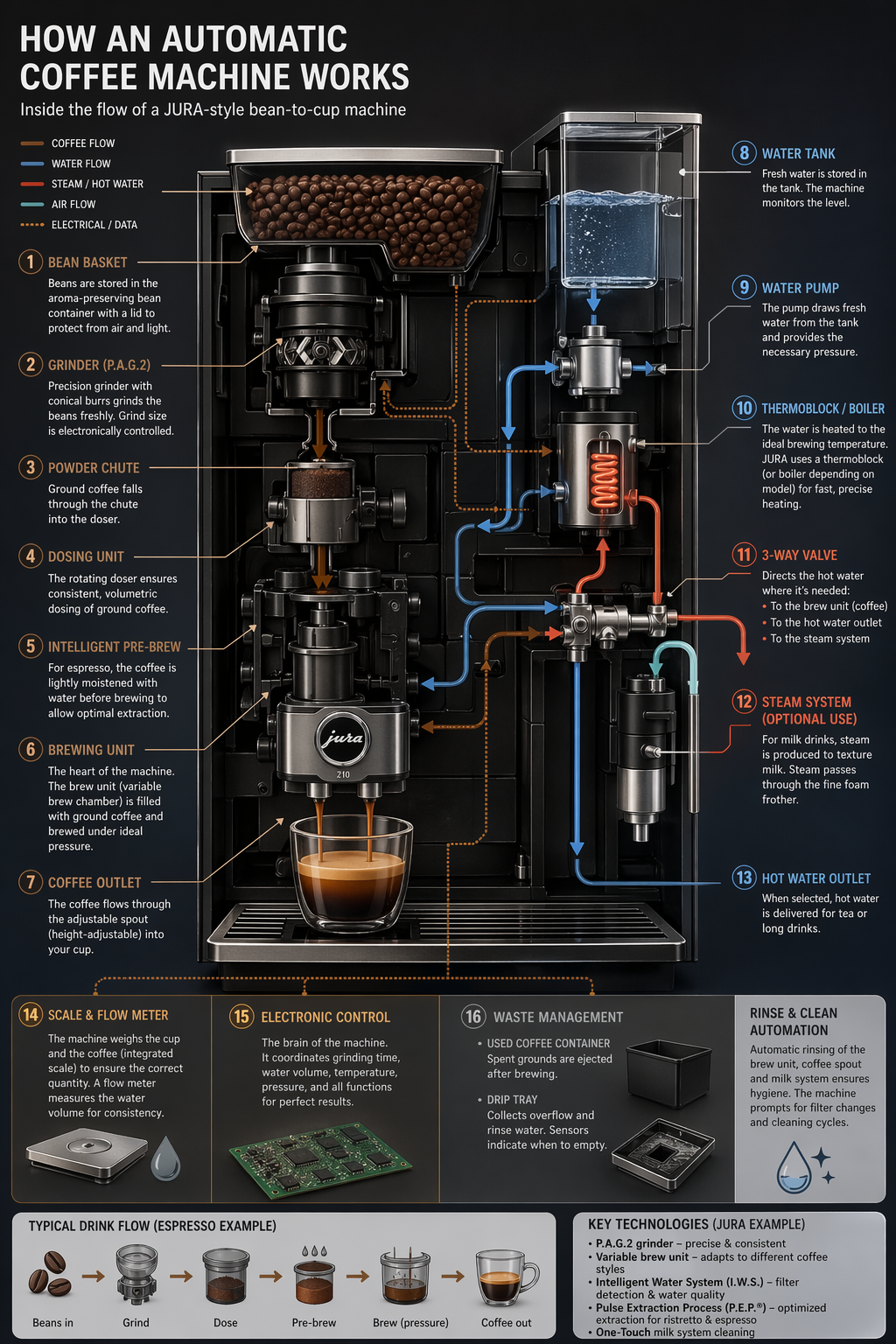
4.2 Translation in Images
Prompt
Translate the text in the infographic to Spanish. Do not change any other aspect of the image.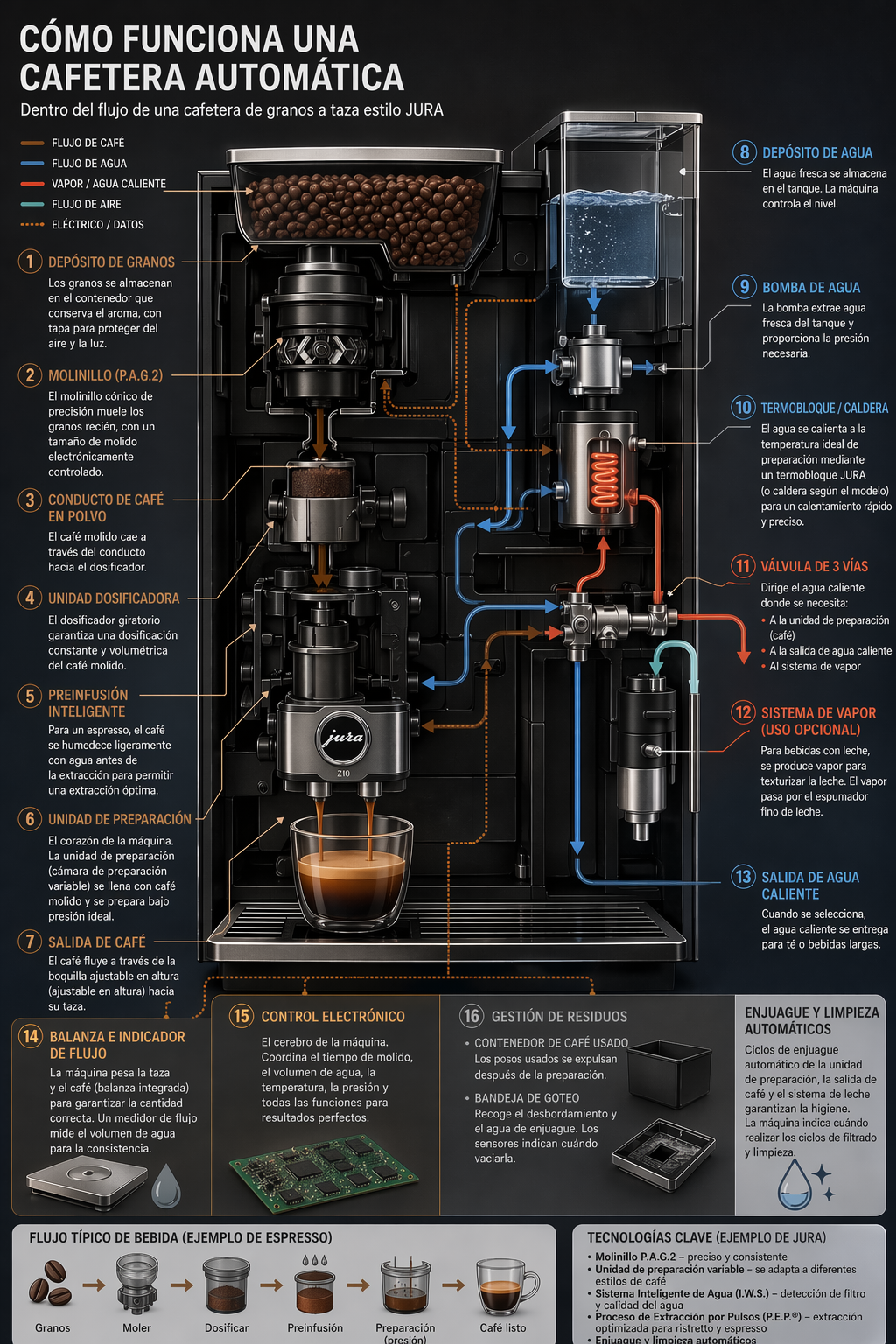
4.3 Photorealistic Images that Feel Natural
Prompt
Create a photorealistic candid photograph of an elderly sailor standing on a small fishing boat.
He has weathered skin with visible wrinkles, pores, and sun texture, and a few faded traditional sailor tattoos on his arms.
He is calmly adjusting a net while his dog sits nearby on the deck. Shot like a 35mm film photograph, medium close-up at eye level, using a 50mm lens.
Soft coastal daylight, shallow depth of field, subtle film grain, natural color balance.
The image should feel honest and unposed, with real skin texture, worn materials, and everyday detail. No glamorization, no heavy retouching.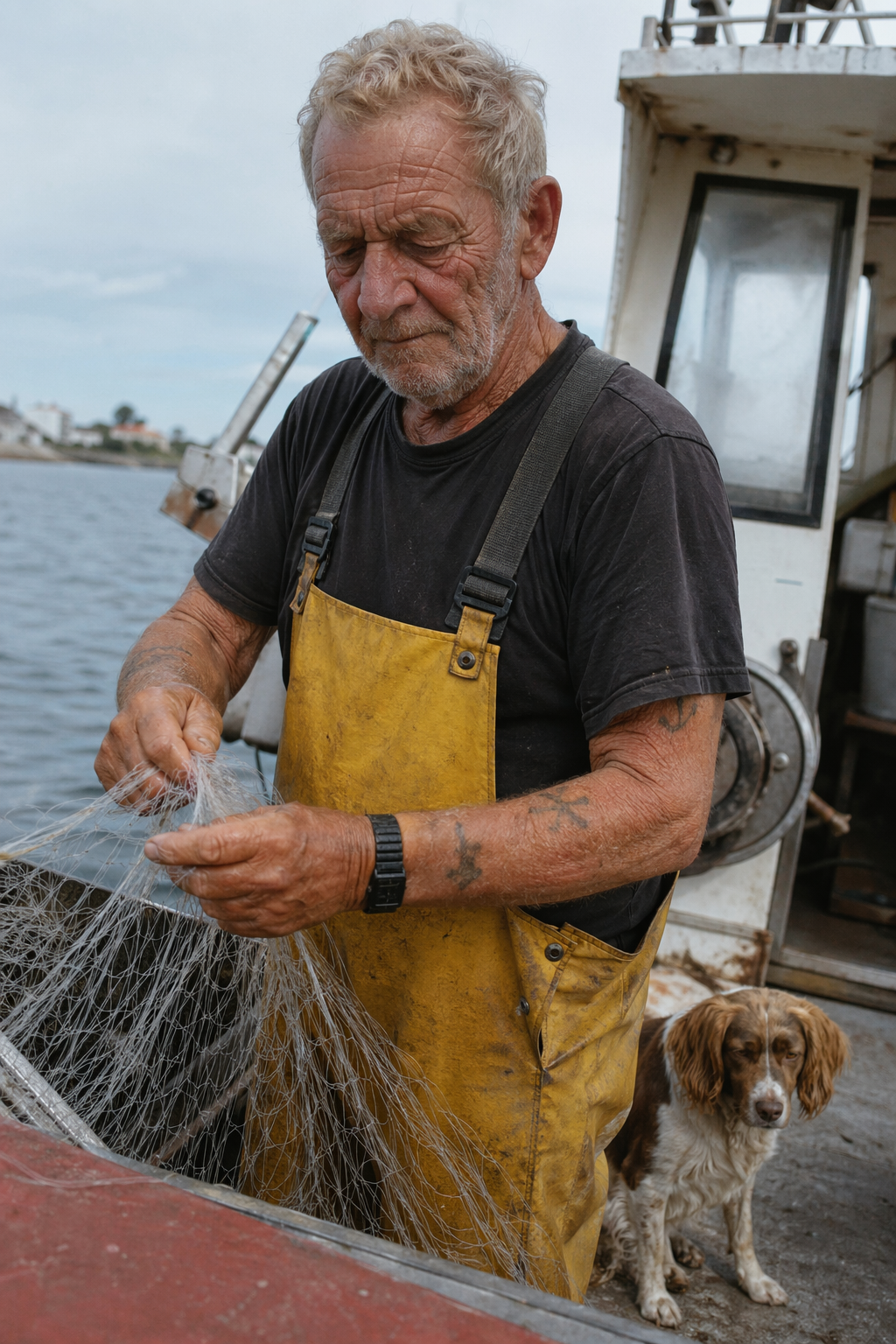
4.4 World Knowledge
Prompt
Create a realistic outdoor crowd scene in Bethel, New York on August 16, 1969.
Photorealistic, period-accurate clothing, staging, and environment.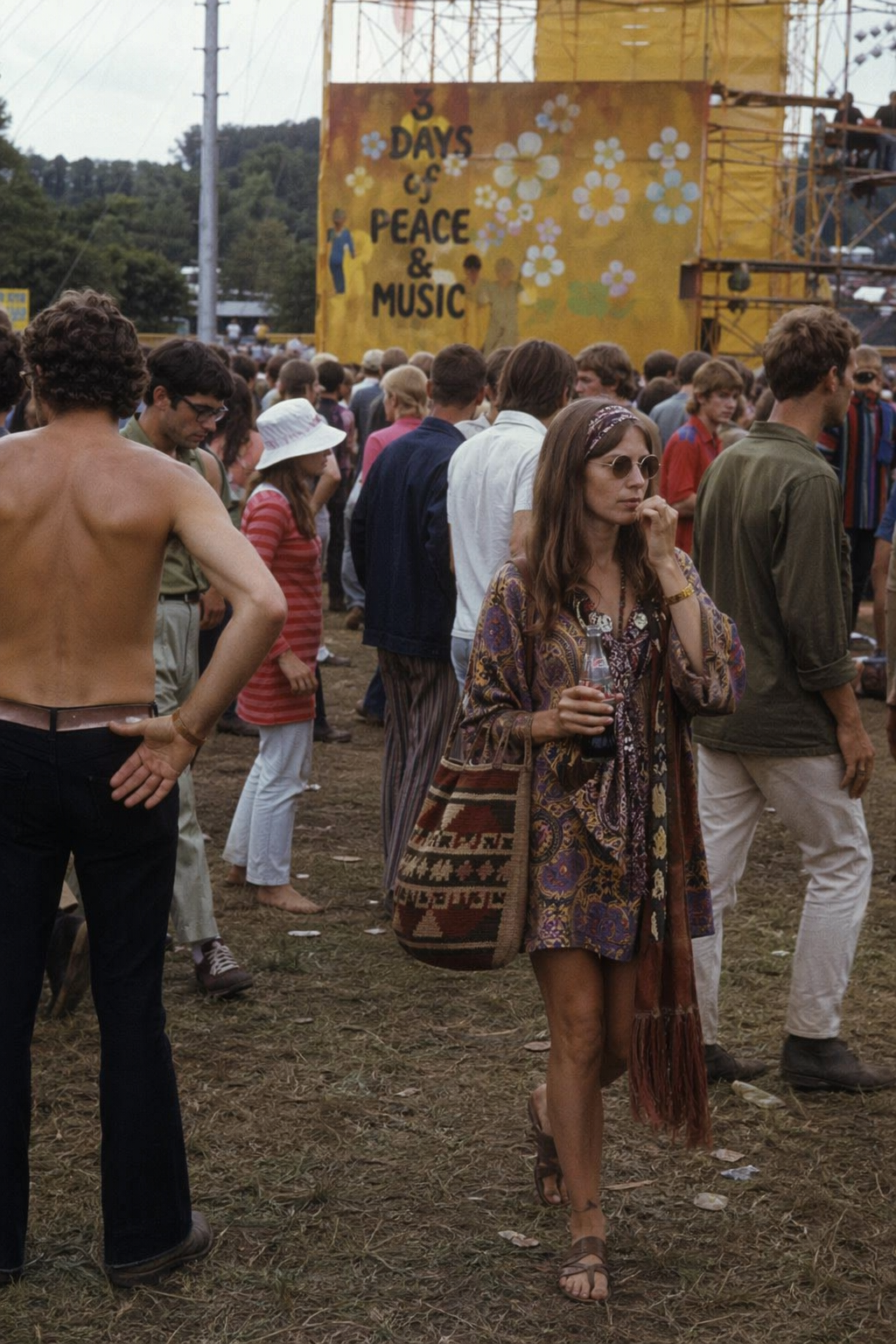
4.5 Logo Generation
Prompt
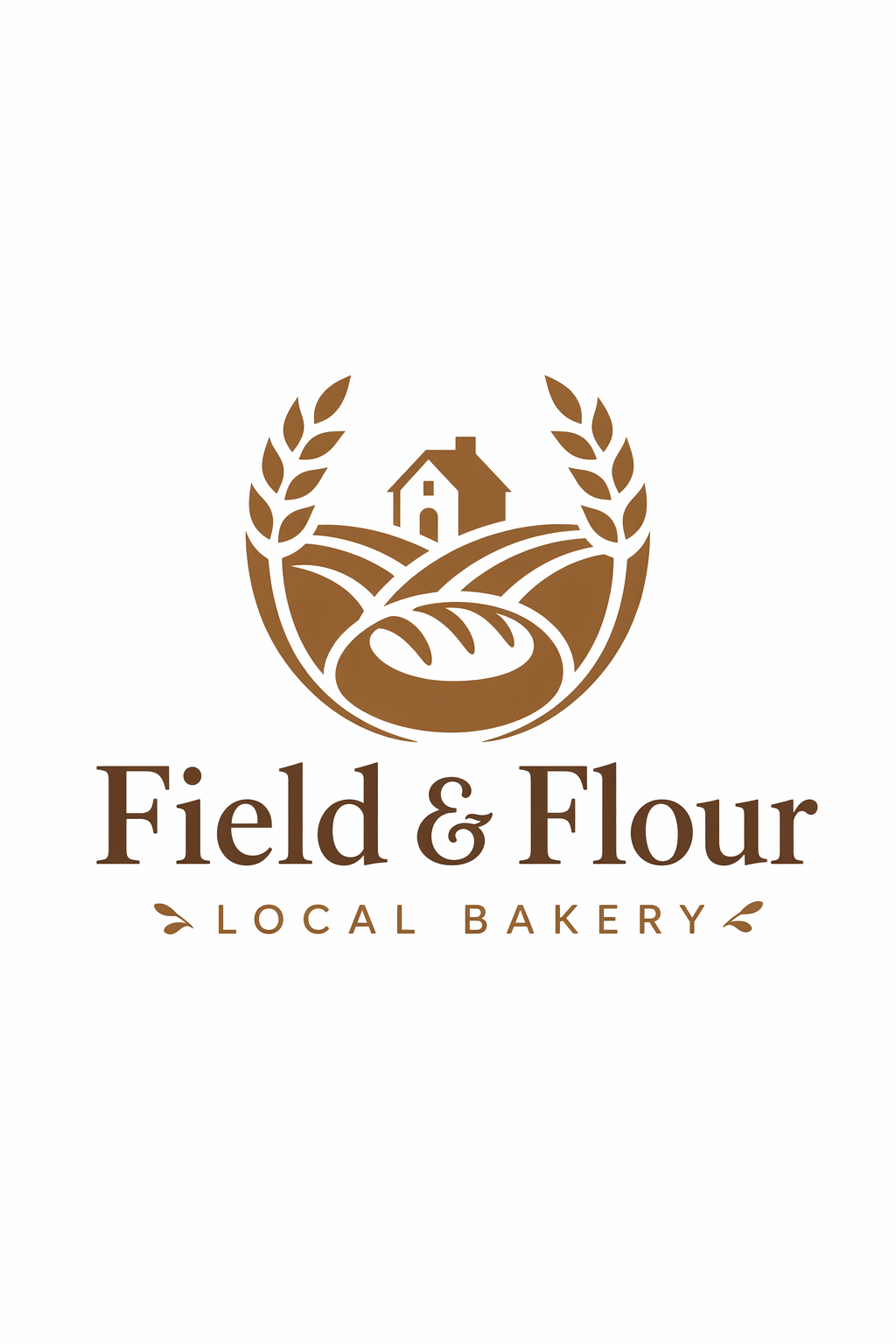
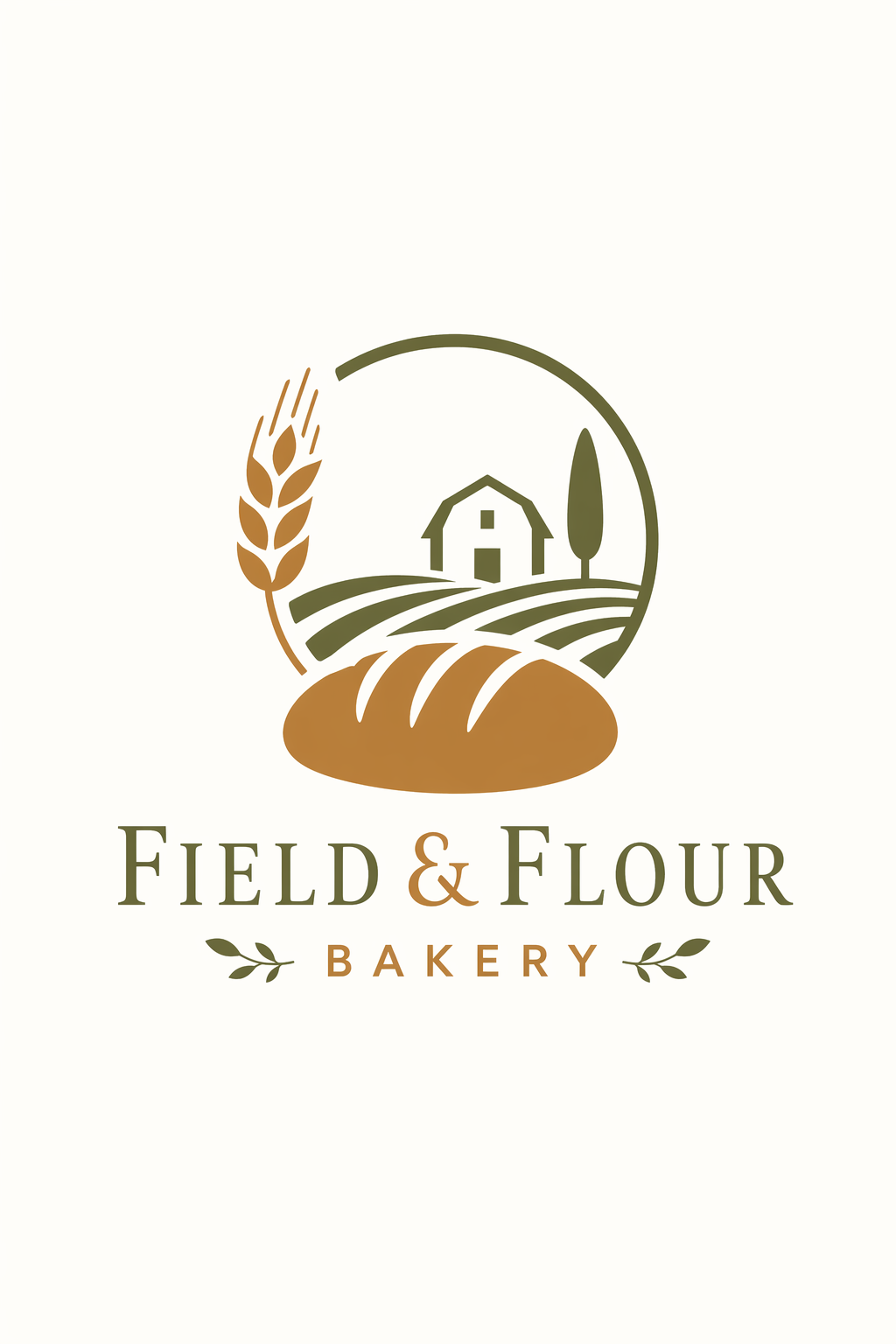
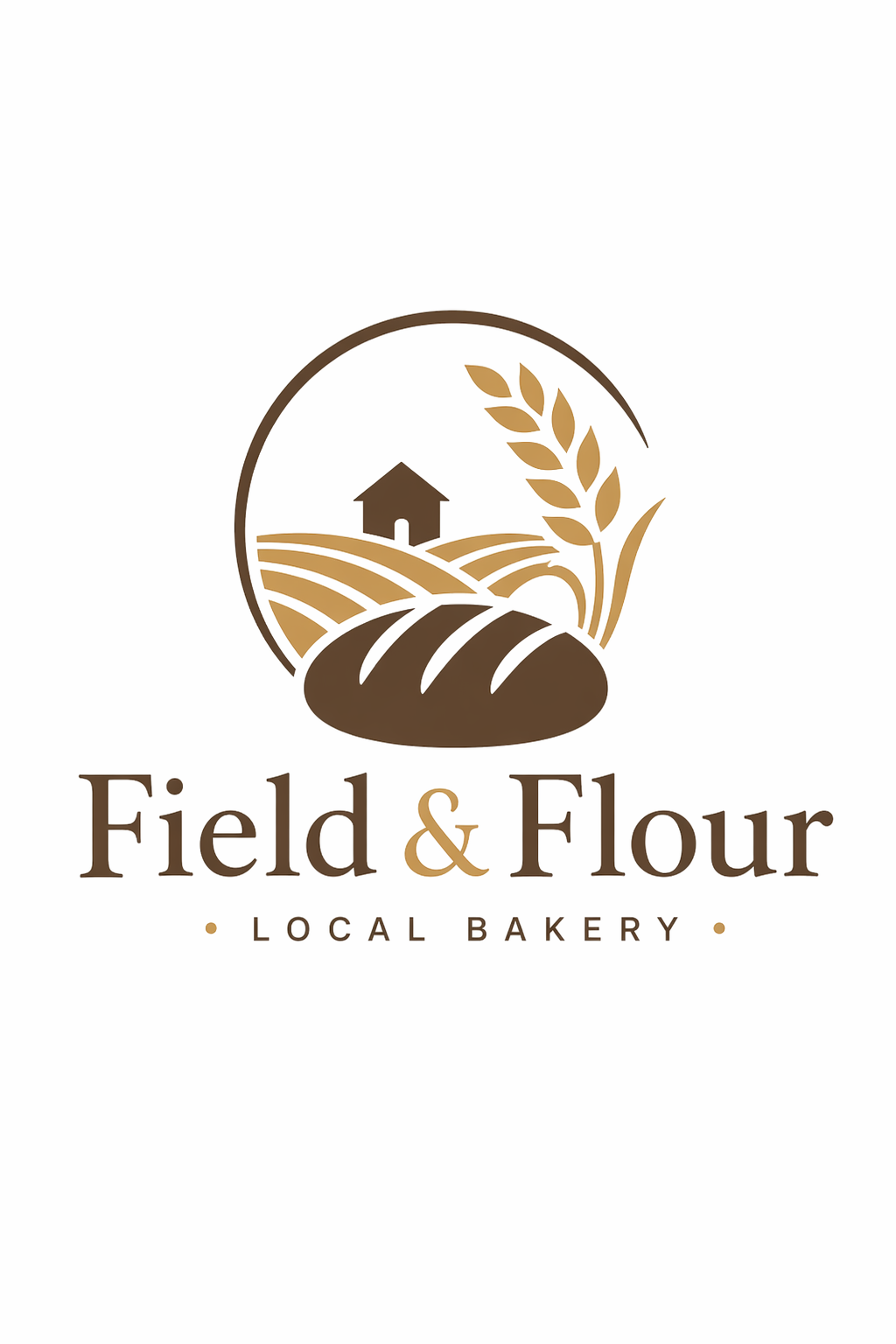
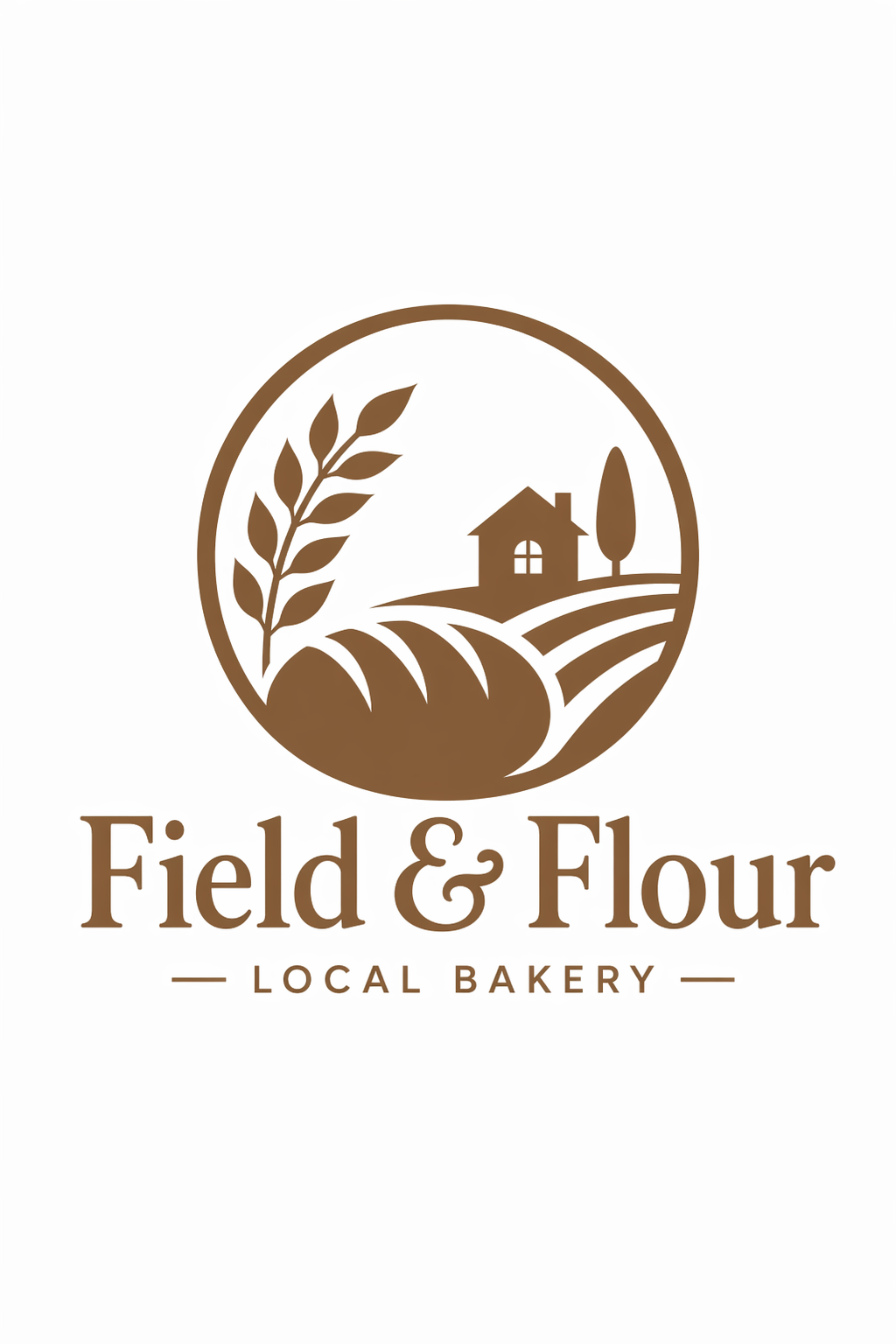
Create an original, non-infringing logo for a company called Field & Flour, a local bakery.
The logo should feel warm, simple, and timeless. Use clean, vector-like shapes, a strong silhouette, and balanced negative space.
Favor simplicity over detail so it reads clearly at small and large sizes. Flat design, minimal strokes, no gradients unless essential.
Plain background. Deliver a single centered logo with generous padding. No watermark.
Images
4.6 Ads Generation
Prompt
Give me a cool in culture ad / fashion shot for a brand called Thread.
It's a hip young street brand. The ad shows a group of friends hanging out together with the tagline "Yours to Create."
Make it feel like a polished campaign image for a youth streetwear audience: stylish, contemporary, energetic, and tasteful.
Use clean composition, strong color direction, natural poses, and premium fashion photography cues.
Render the tagline exactly once, clearly and legibly, integrated into the ad layout.
No extra text, no watermarks, no unrelated logos.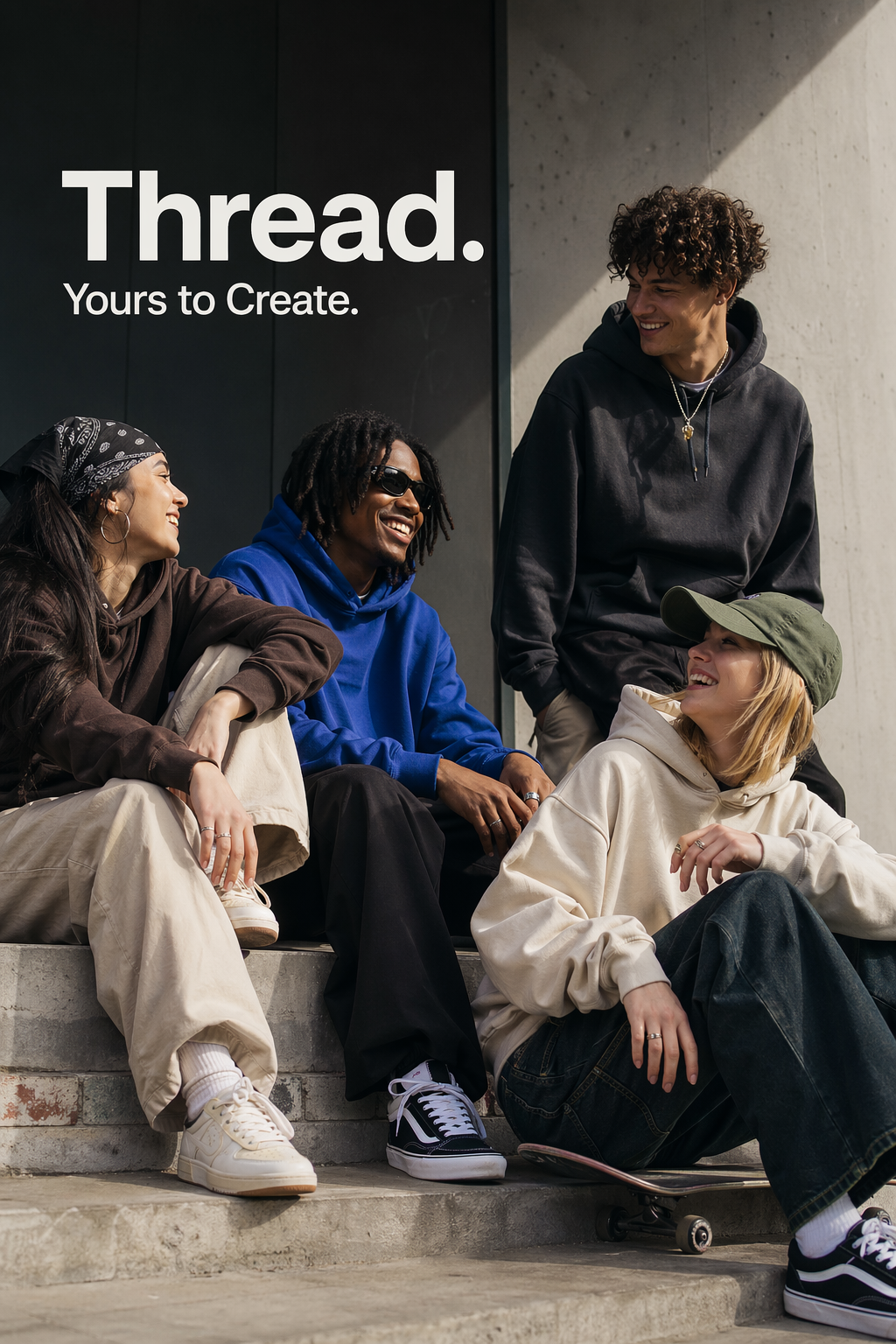
4.7 Story-to-Comic Strip
Prompt
Create a short vertical comic-style reel with 4 equal-sized panels.
Panel 1: The owner leaves through the front door. The pet is framed in the window behind them, small against the glass, eyes wide, paws pressed high, the house suddenly quiet.
Panel 2: The door clicks shut. Silence breaks. The pet slowly turns toward the empty house, posture shifting, eyes sharp with possibility.
Panel 3: The house transformed. The pet sprawls across the couch like it owns the place, crumbs nearby, sunlight cutting across the room like a spotlight.
Panel 4: The door opens. The pet is seated perfectly by the entrance, alert and composed, as if nothing happened.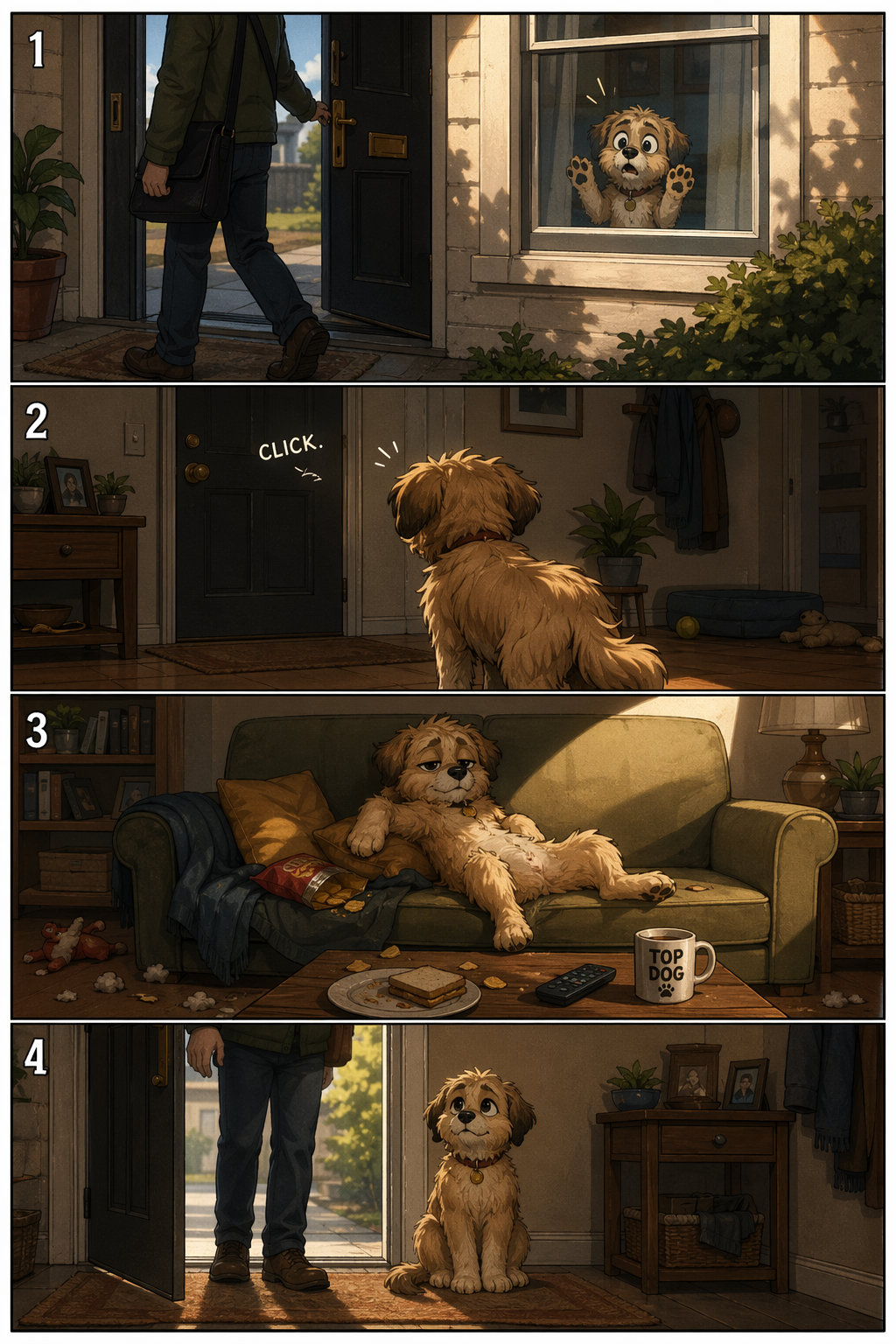
4.8 UI Mockups
Prompt
Create a realistic mobile app UI mockup for a local farmers market.
Show today's market with a simple header, a short list of vendors with small photos and categories, a small "Today's specials" section, and basic information for location and hours.
Design it to be practical, and easy to use. White background, subtle natural accent colors, clear typography, and minimal decoration.
It should look like a real, well-designed, beautiful app for a small local market.
Place the UI mockup in an iPhone frame.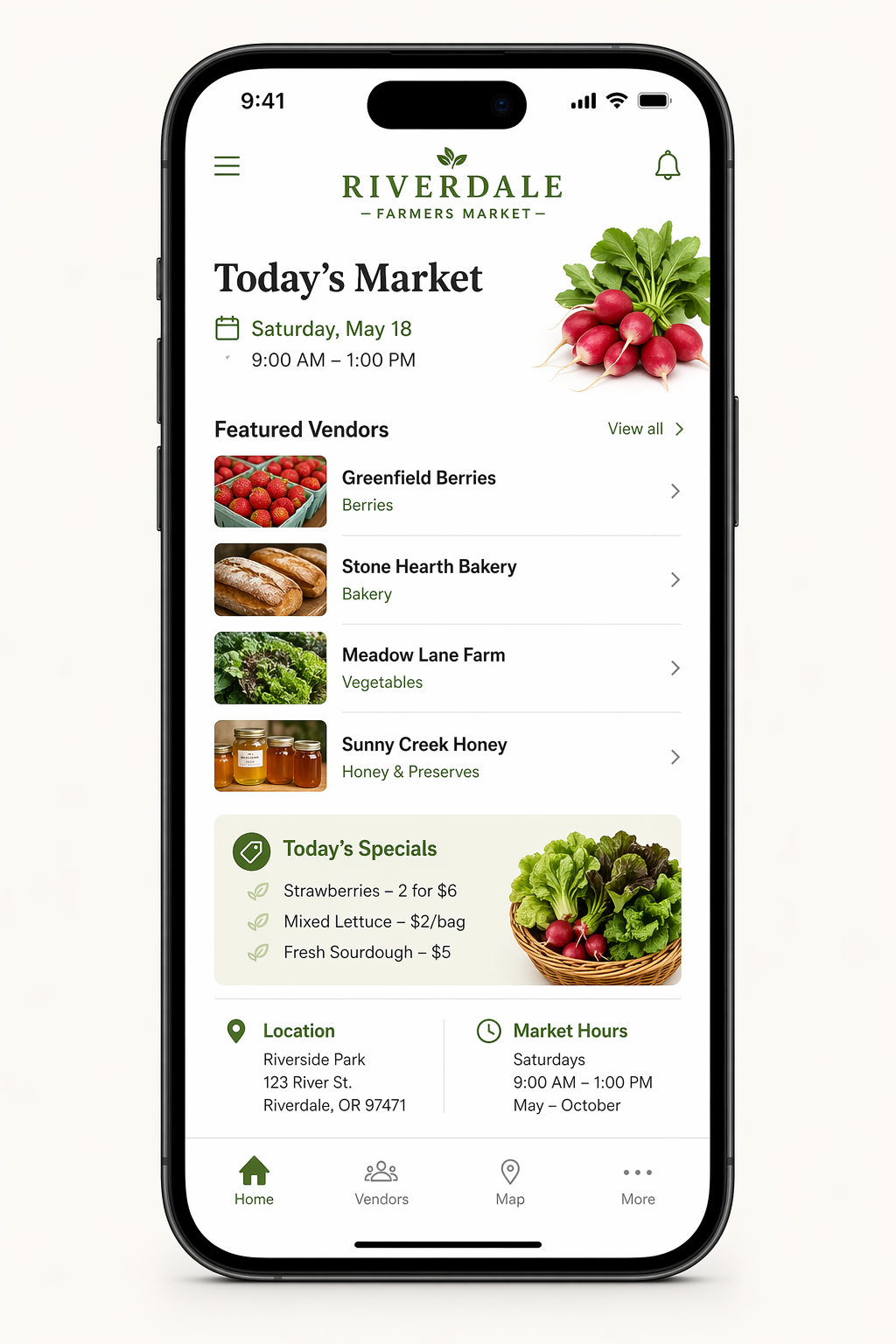
4.9 Scientific / Educational Visuals
Prompt
Create a simple biology diagram titled "Cellular Respiration at a Glance" for high school students.

Show how glucose turns into energy inside a cell. Include glycolysis, the Krebs cycle, and the electron transport chain.
Use arrows to connect the steps, and label the main molecules: glucose, pyruvate, ATP, NADH, FADH2, CO2, O2, and H2O.
Make it look like a clean classroom handout or slide, with a white background, simple icons, clear labels, and easy-to-read text.

Avoid tiny text, extra decoration, or anything that makes the diagram hard to understand.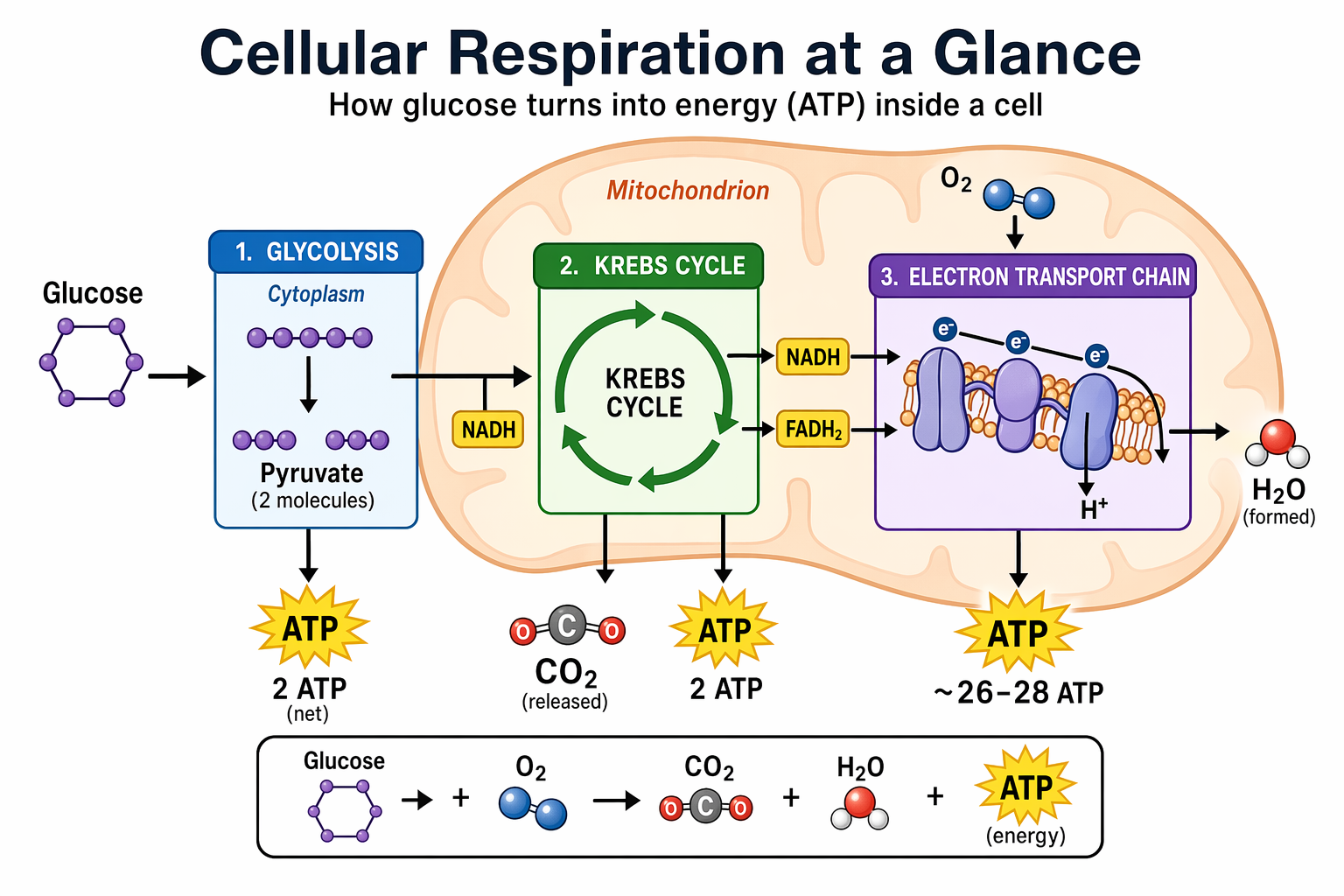
4.10 Slides, Diagrams, Charts, and Productivity Images
Prompt
Create one pitch-deck slide titled "Market Opportunity" that feels like a real Series A fundraising slide from a YC-backed startup.

Use a clean white background, modern sans-serif typography like Inter, and a crisp, minimal layout. The slide should include:
- A TAM/SAM/SOM concentric-circle diagram in muted blues and grays
- Specific, believable market sizing numbers:
  - TAM: $42B
  - SAM: $8.7B
  - SOM: $340M
- A clean bar chart below showing market growth from 2021 to 2026, with a subtle upward trend
- Small footnotes: "AGI Research, 2024" and "Internal analysis"
- A company logo placeholder in the bottom-right corner

The design should look like it belongs in a deck that actually raised money: highly readable text, clear data hierarchy, polished spacing, and professional startup-style visual language.

Avoid clip art, stock photography, gradients, shadows, decorative elements, or anything that feels generic or overdesigned.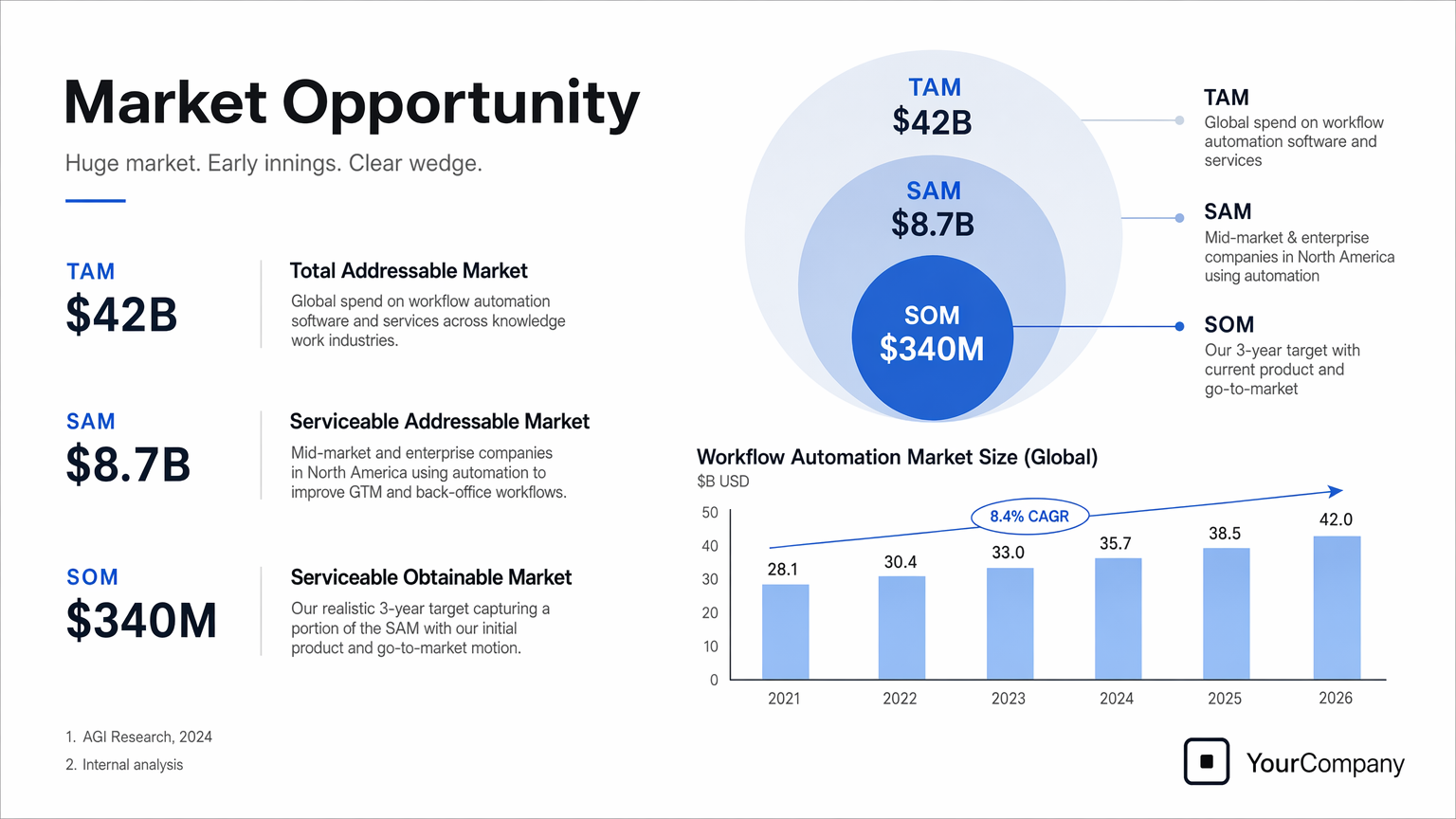
5. Use Cases — Edit (Prompt + Image)
5.1 Style Transfer
Prompt
Use the same style from the input image and generate a man riding a motorcycle on a white background.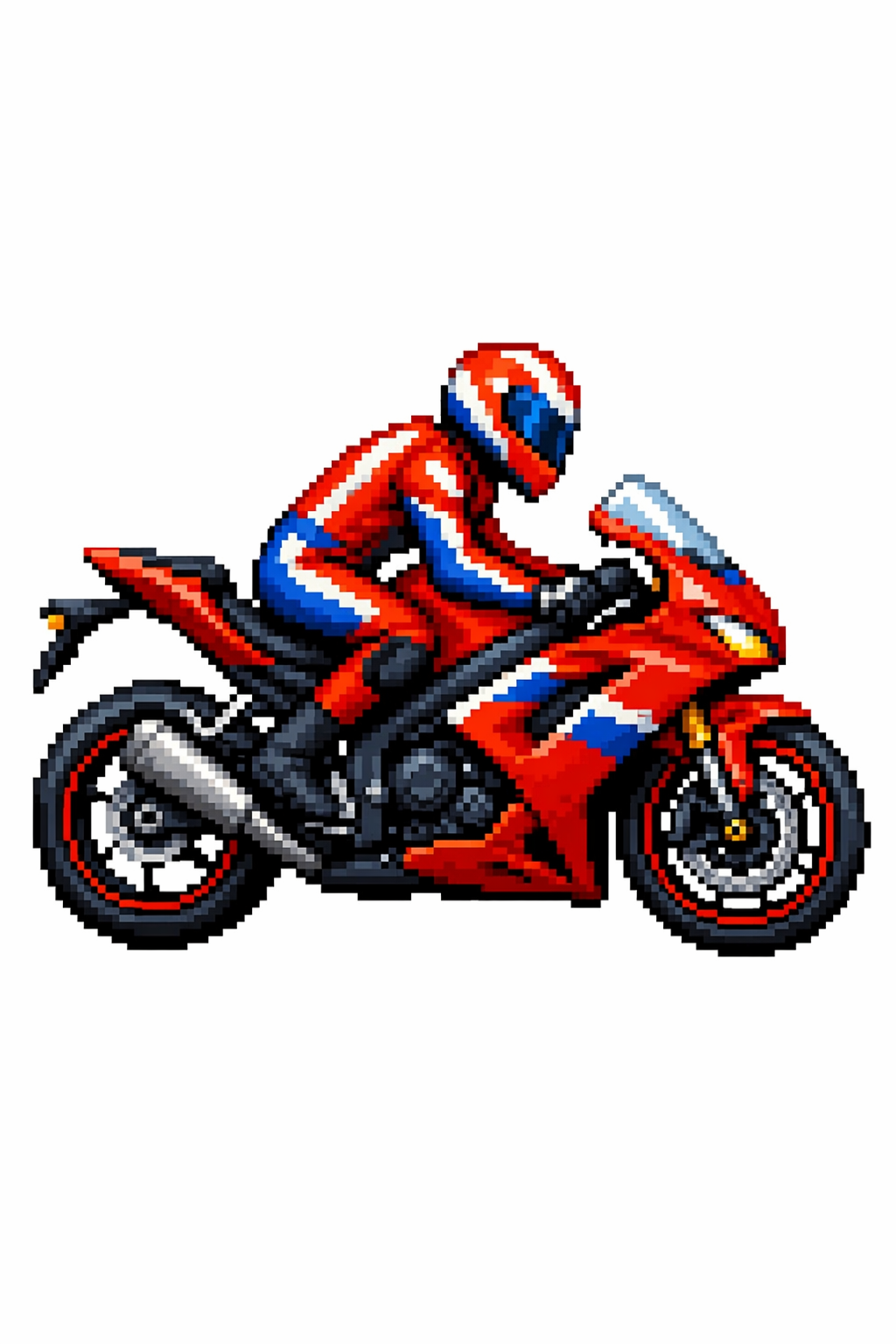
5.2 Virtual Clothing Try-On
Prompt
Edit the image to dress the woman using the provided clothing images. Do not change her face, facial features, skin tone, body shape, pose, or identity in any way. Preserve her exact likeness, expression, hairstyle, and proportions. Replace only the clothing, fitting the garments naturally to her existing pose and body geometry with realistic fabric behavior. Match lighting, shadows, and color temperature to the original photo so the outfit integrates photorealistically, without looking pasted on. Do not change the background, camera angle, framing, or image quality, and do not add accessories, text, logos, or watermarks.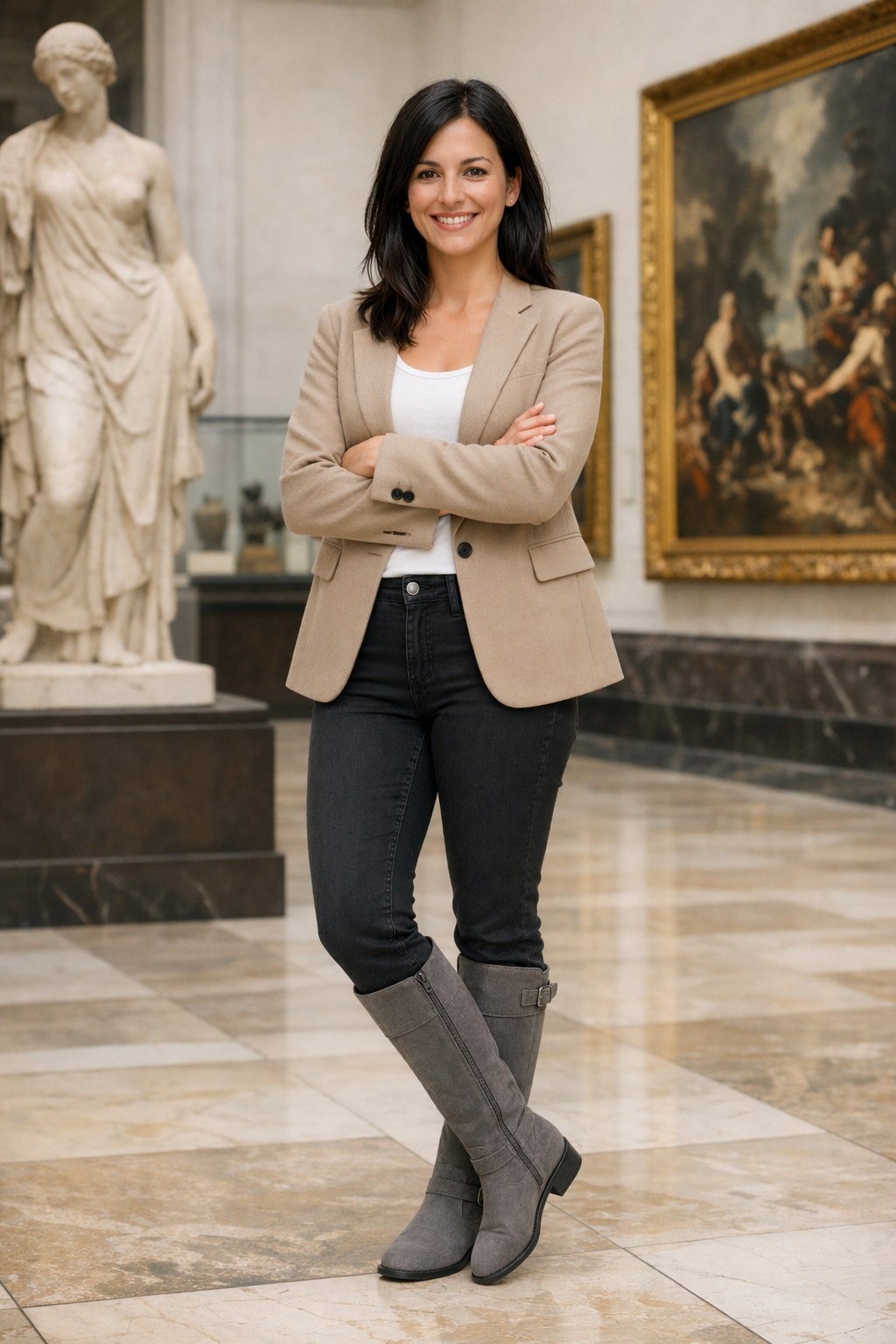
5.3 Drawing to Image (Rendering)
Prompt
Turn this drawing into a photorealistic image.
Preserve the exact layout, proportions, and perspective.
Choose realistic materials and lighting consistent with the sketch intent.
Do not add new elements or text.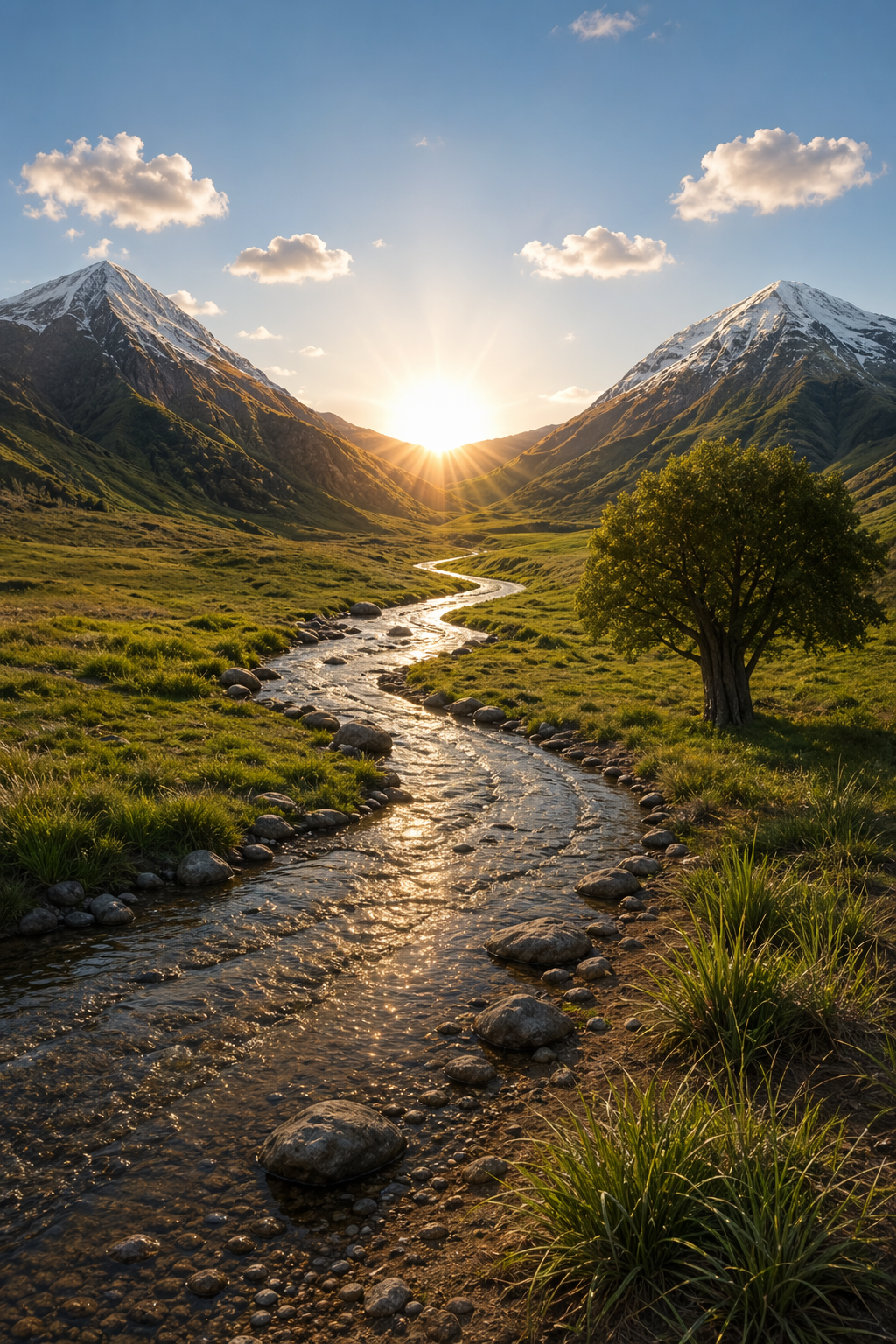
5.4 Product Mockups (Clean Background + Label Integrity)
Prompt
Extract the product from the input image and place it on a plain white opaque background.
Output: centered product, crisp silhouette, no halos/fringing.
Preserve product geometry and label legibility exactly.
Add only light polishing and a subtle realistic contact shadow.
Do not restyle the product; only remove background and lightly polish.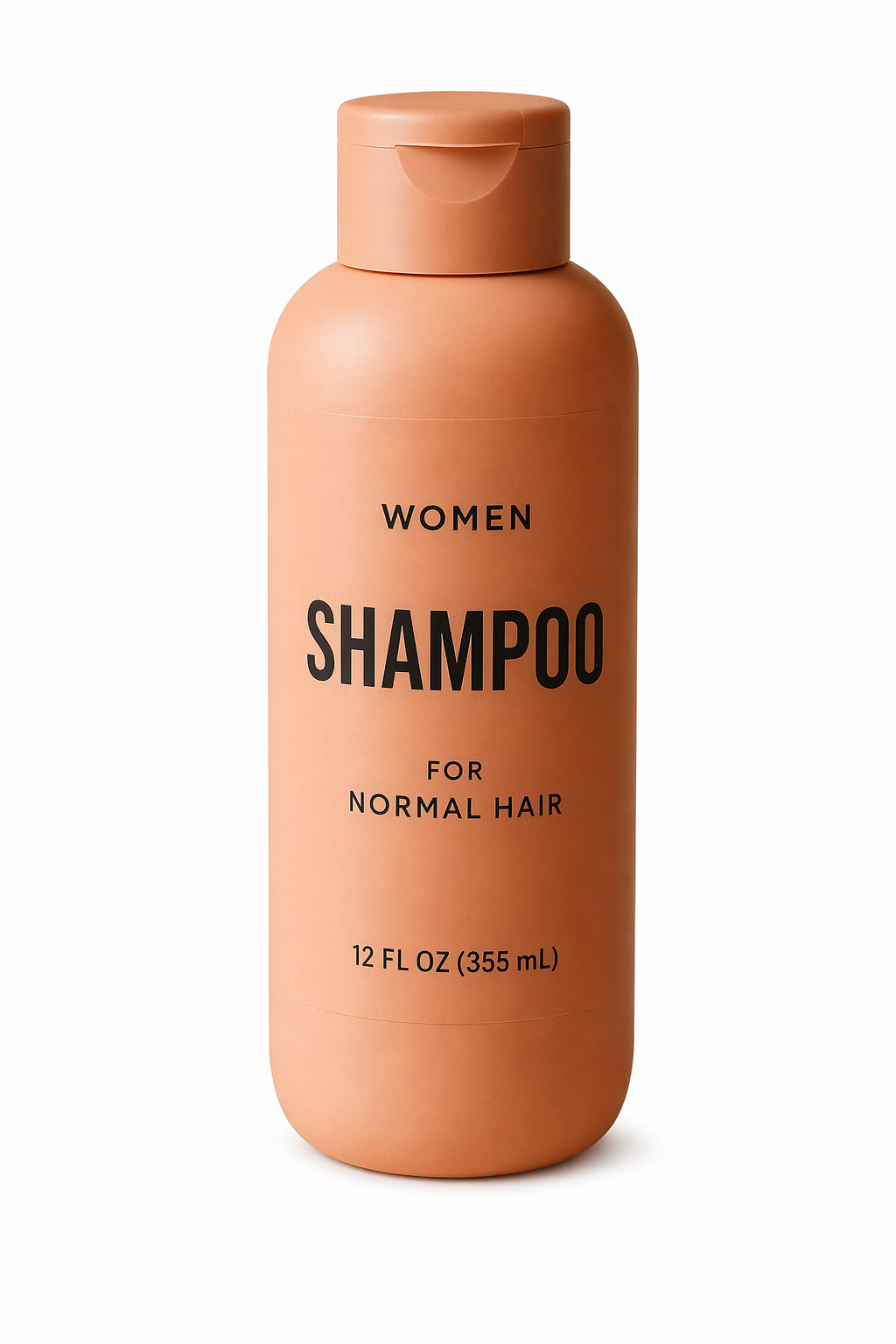
5.5 Marketing Creatives with Real Text In-Image
Prompt
Create a realistic billboard mockup of the shampoo on a highway scene during sunset.
Billboard text (EXACT, verbatim, no extra characters):
"Fresh and clean"
Typography: bold sans-serif, high contrast, centered, clean kerning.
Ensure text appears once and is perfectly legible.
No watermarks, no logos.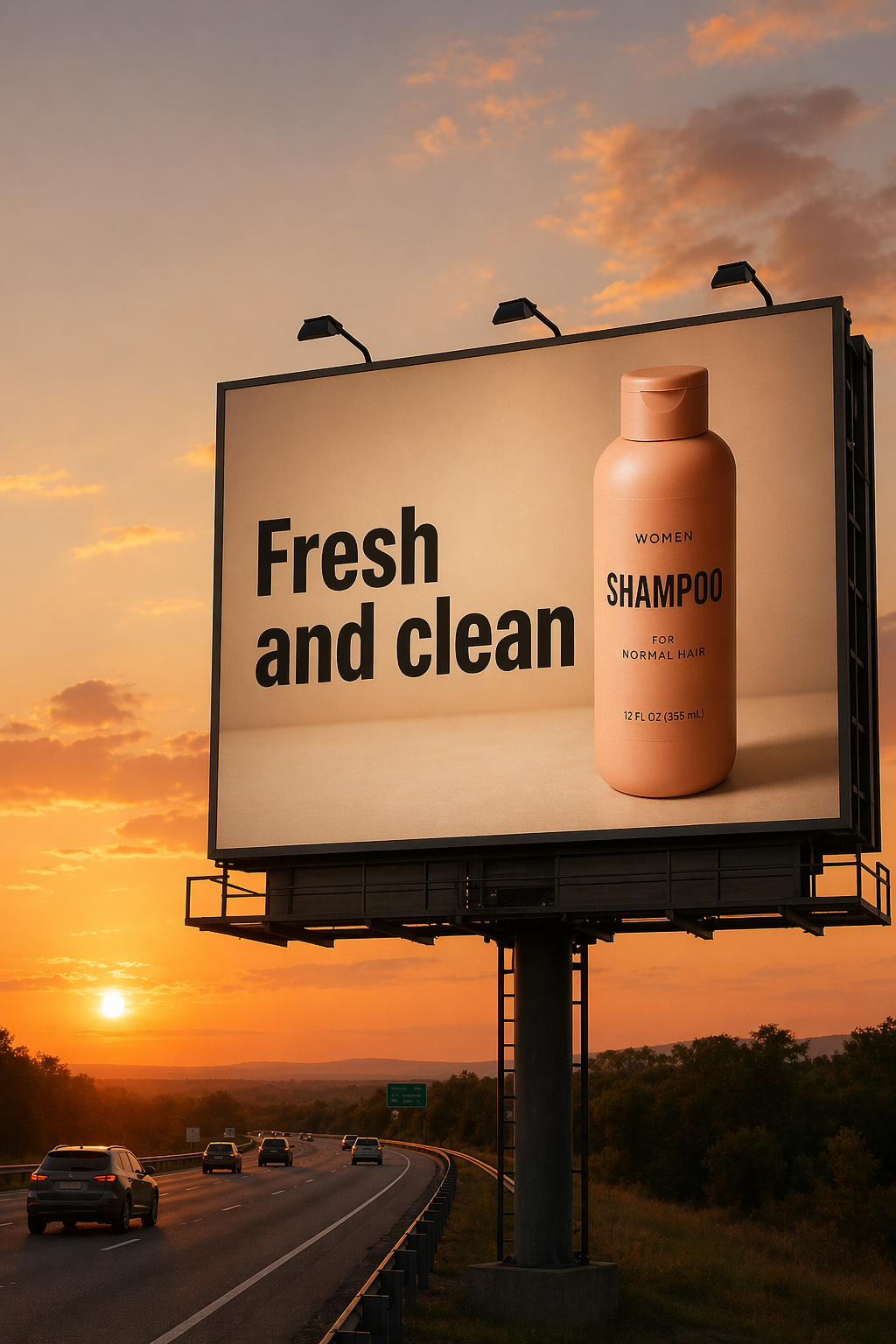
5.6 Lighting and Weather Transformation
Prompt
Make it look like a winter evening with snowfall.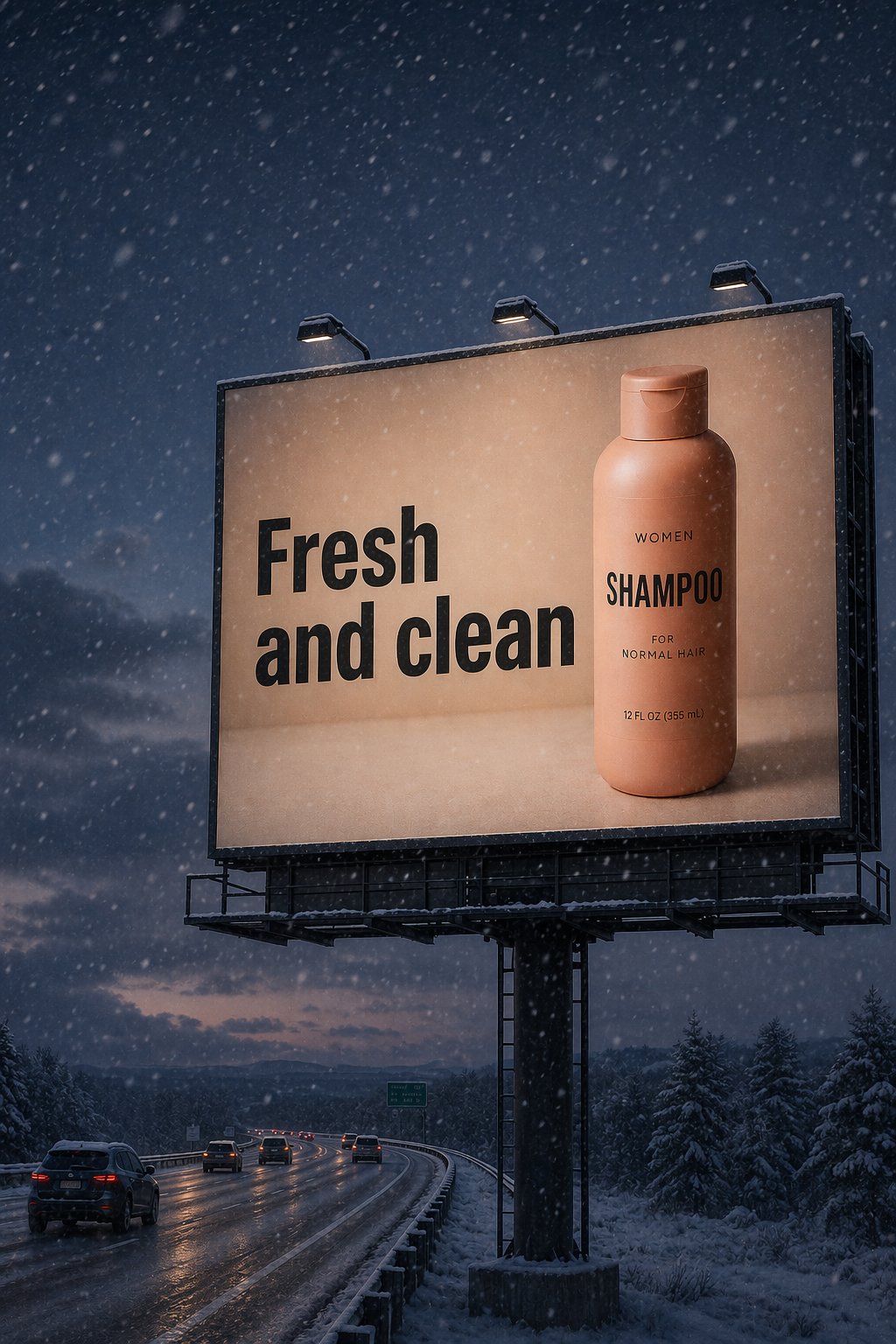
5.7 Object Removal
Prompt
Remove the flower from man's hand. Do not change anything else.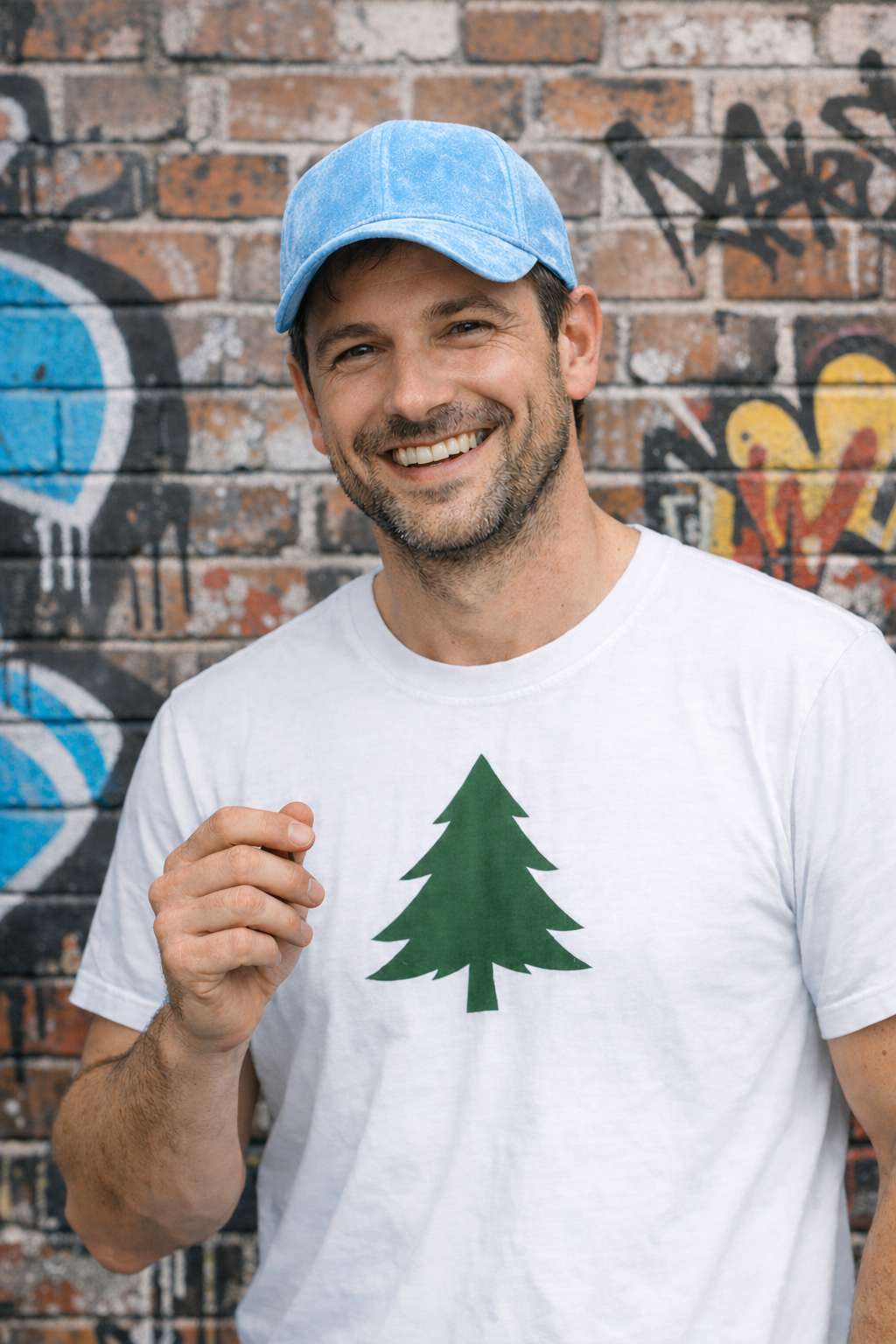
5.8 Insert the Person Into a Scene
Prompt
Generate a highly realistic action scene where this person is running away from a large, realistic brown bear attacking a campsite. The image should look like a real photograph someone could have taken, not an overly enhanced or cinematic movie-poster image.
She is centered in the image but looking away from the camera, wearing outdoorsy camping attire, with dirt on her face and tears in her clothing. She is clearly afraid but focused on escaping, running away from the bear as it destroys the campsite behind her.
The campsite is in Yosemite National Park, with believable natural details. The time of day is dusk, with natural lighting and realistic colors. Everything should feel grounded, authentic, and unstyled, as if captured in a real moment. Avoid cinematic lighting, dramatic color grading, or stylized composition.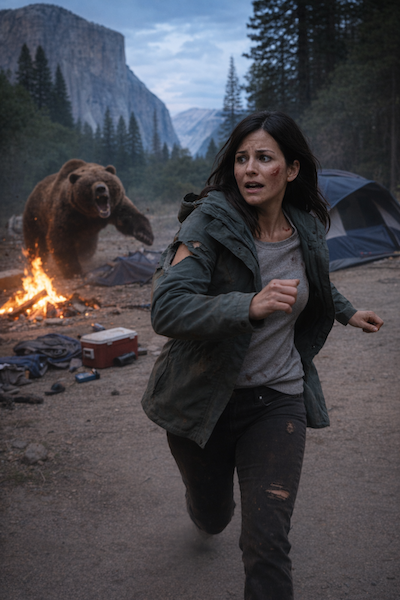
5.9 Multi-Image Referencing and Compositing
Prompt
Place the dog from the second image into the setting of image 1, right next to the woman, use the same style of lighting, composition and background. Do not change anything else.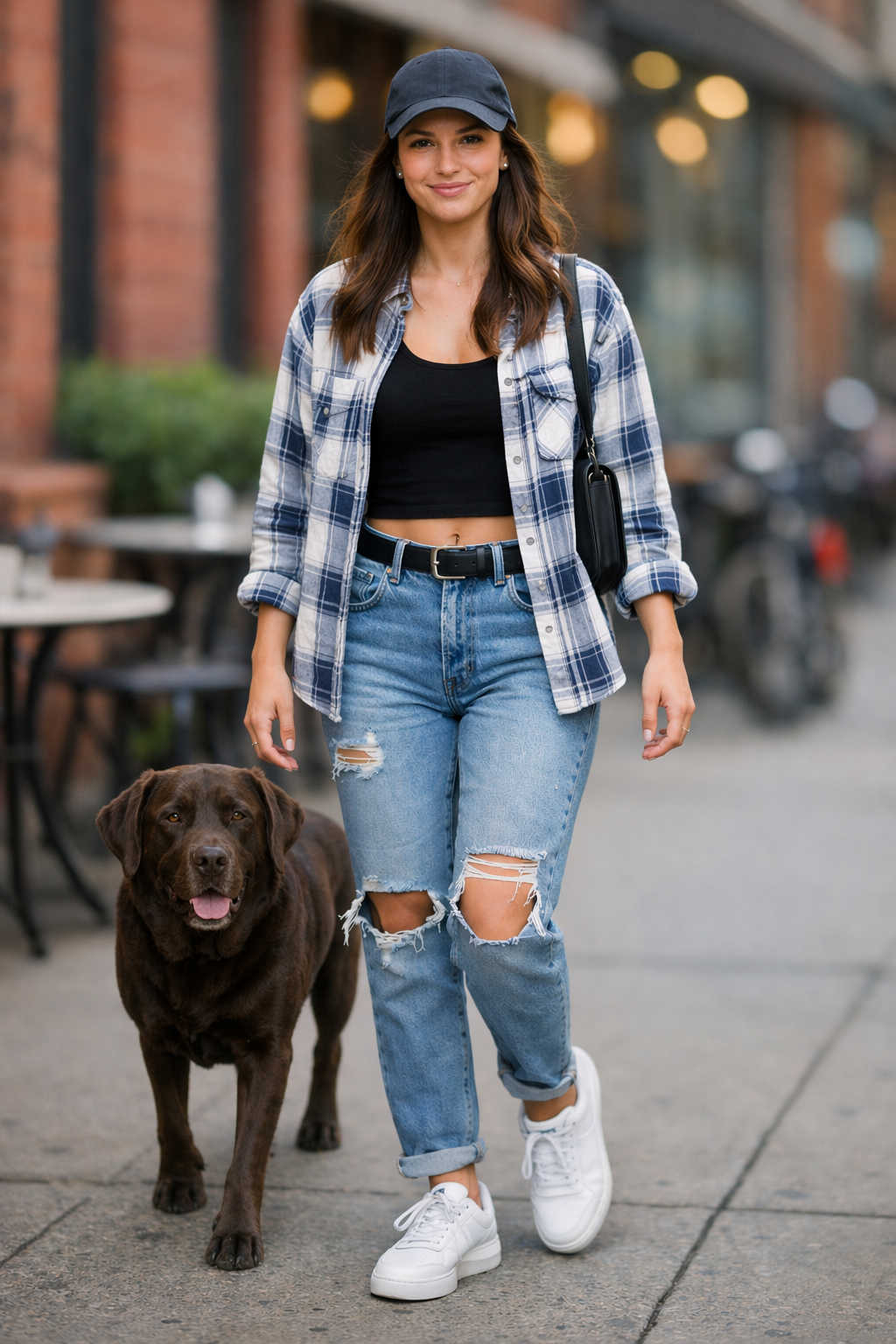
6. Additional High-Value Use Cases (Prompt + Image)
6.1 Interior Design Swap (Precision Edits)
Prompt
In this room photo, replace ONLY white with chairs made of wood.
Preserve camera angle, room lighting, floor shadows, and surrounding objects.
Keep all other aspects of the image unchanged.
Photorealistic contact shadows and fabric texture.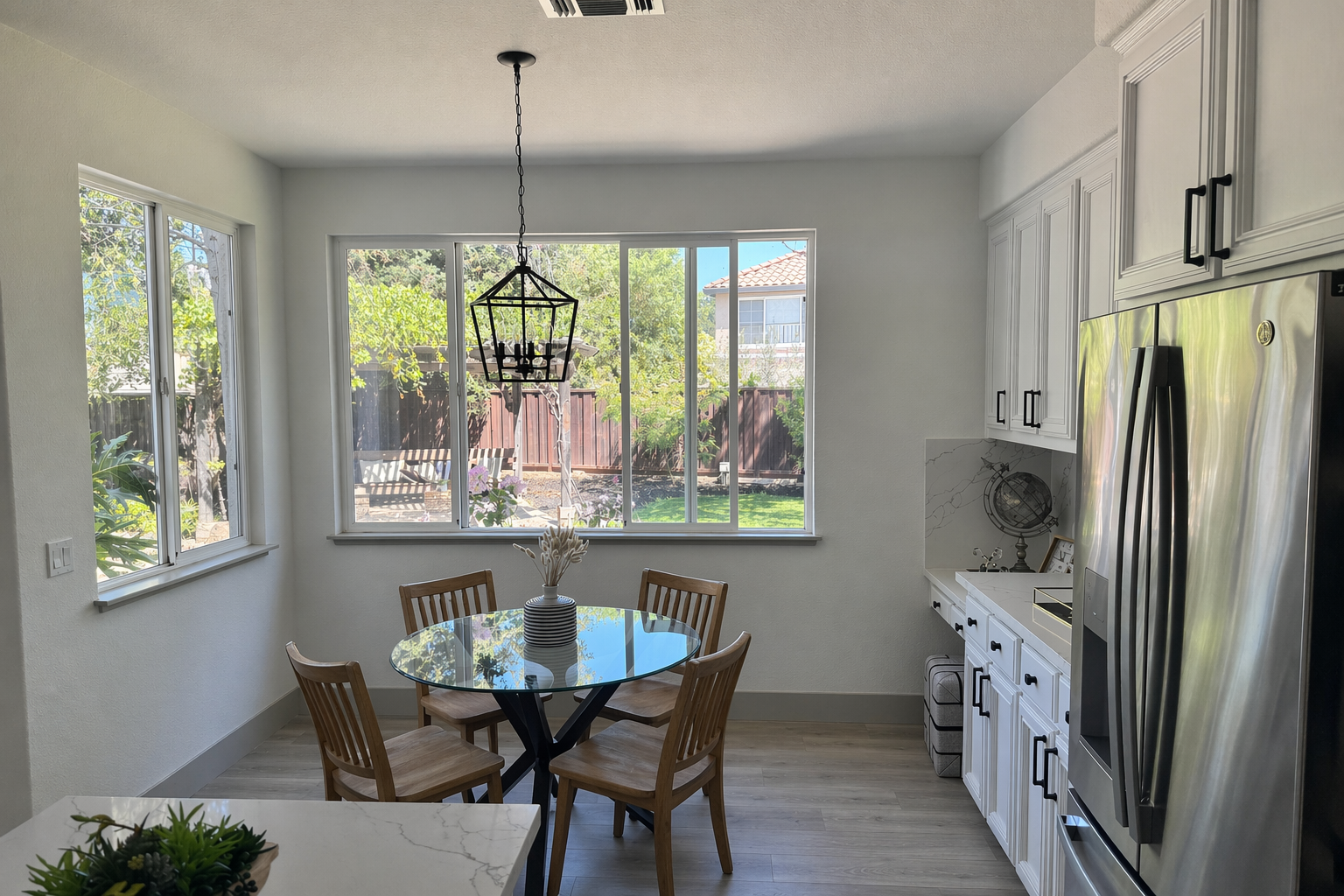
6.2 3D Pop-Up Holiday Card (Product-Style Mock)
Prompt
Create a Christmas holiday card illustration.

Scene:
a cozy Christmas scene with an old teddy bear sitting inside a keepsake box, slightly worn fur, soft stitching repairs, placed near a window with falling snow outside. The scene suggests the child has grown up, but the memories remain.

Mood:
Warm, nostalgic, gentle, emotional.

Style:
Premium holiday card photography, soft cinematic lighting, realistic textures, shallow depth of field, tasteful bokeh lights, high print-quality composition.

Constraints:
- Original artwork only
- No trademarks
- No watermarks
- No logos

Include ONLY this card text (verbatim):
"Merry Christmas — some memories never fade."
6.3 Collectible Action Figure / Plush Keychain (Merch Concept)
Prompt
Create a collectible action figure of a vintage-style toy propeller airplane with rounded wings, a front-mounted spinning propeller, slightly worn paint edges, classic childhood proportions, designed as a nostalgic holiday collectible, in blister packaging.

Concept:
A nostalgic holiday collectible inspired by the simple toy airplanes children used to play with during winter holidays. Evokes warmth, imagination, and childhood wonder.

Style:
Premium toy photography, realistic plastic and painted metal textures, studio lighting, shallow depth of field, sharp label printing, high-end retail presentation.

Constraints:
- Original design only
- No trademarks
- No watermarks
- No logos

Include ONLY this packaging text (verbatim):
"Christmas Memories Edition"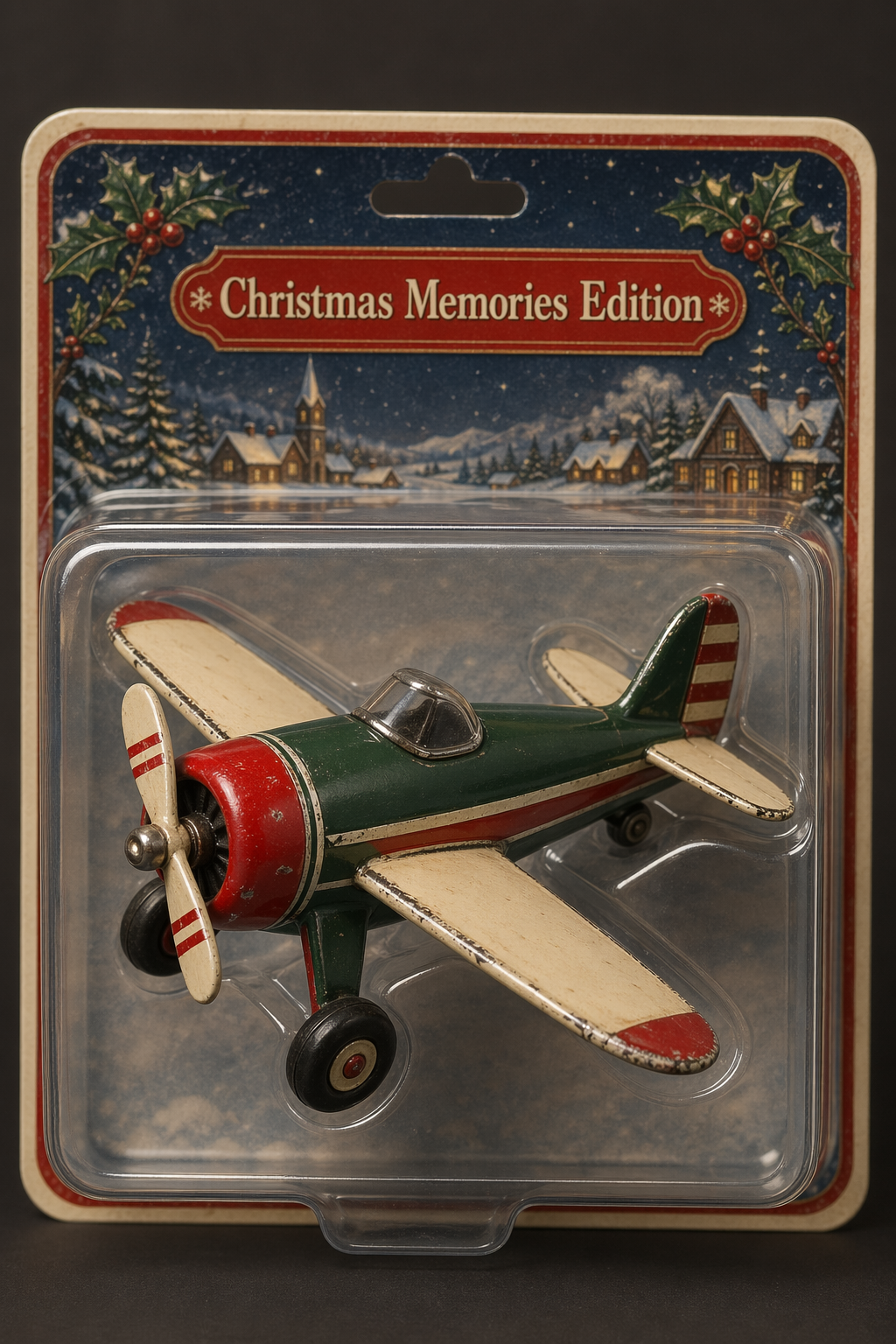
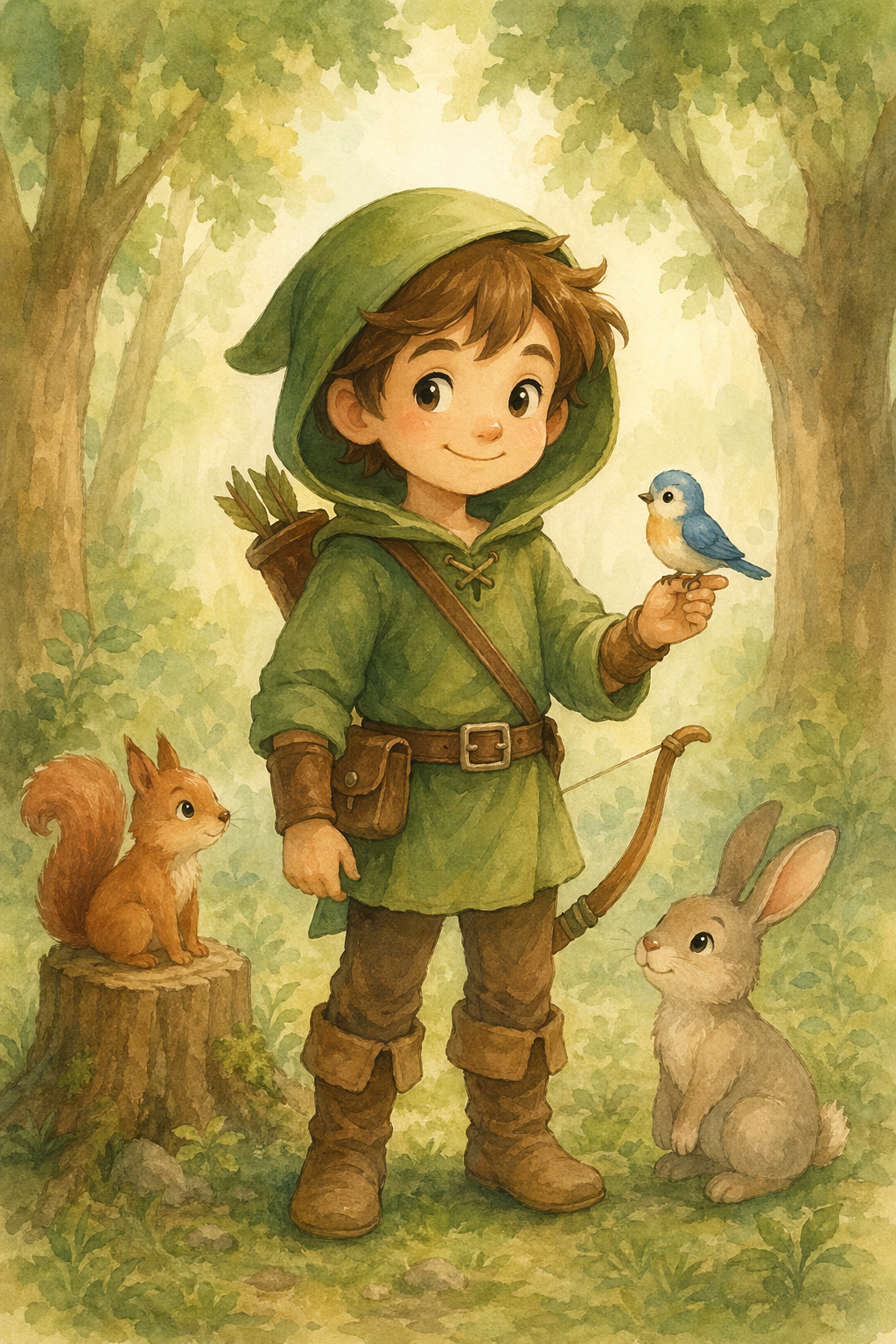
6.4 Children's Book Art with Character Consistency
Prompt A (Character Anchor)
Create a children's book illustration introducing a main character.

Character:
A young, storybook-style hero inspired by a little forest outlaw, wearing a simple green hooded tunic, soft brown boots, and a small belt pouch. The character has a kind expression, gentle eyes, and a brave but warm demeanor. Carries a small wooden bow used only for helping, never harming.

Theme:
The character protects and rescues small forest animals like squirrels, birds, and rabbits.

Style:
Children's book illustration, hand-painted watercolor look, soft outlines, warm earthy colors, whimsical and friendly. Proportions suitable for picture books (slightly oversized head, expressive face).

Constraints:
- Original character (no copyrighted characters)
- No text
- No watermarks
- Plain forest background to clearly showcase the character
Image A
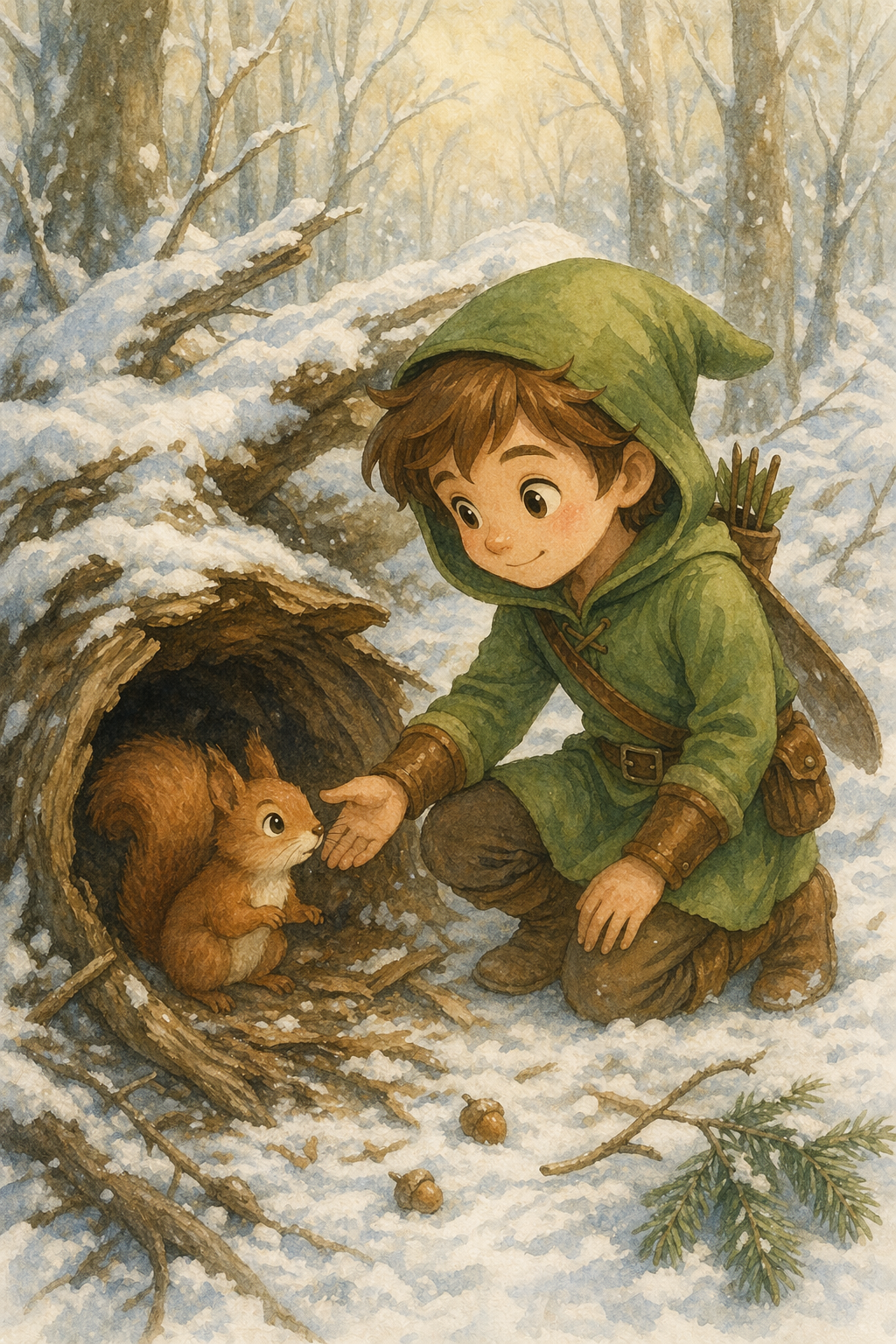
Prompt B (Story Continuation)
Continue the children's book story using the same character.

Scene:
The same young forest hero is gently helping a frightened squirrel out of a fallen tree after a winter storm. The character kneels beside the squirrel, offering reassurance.

Character Consistency:
- Same green hooded tunic
- Same facial features, proportions, and color palette
- Same gentle, heroic personality

Style:
Children's book watercolor illustration, soft lighting, snowy forest environment, warm and comforting mood.

Constraints:
- Do not redesign the character
- No text
- No watermarks
Image B
Conclusion
This condensed guide keeps model parameters, prompting fundamentals, and quick-start links as the operational foundation, then provides prompt-first use case references for faster production reuse.
Sources
著者

カテゴリ
gpt-image-2 Size ConstraintsPopular gpt-image-2 SizesModel Choice GuidanceUpgrade Path from gpt-image-1.5 / gpt-image-12. Prompting Fundamentals3. Quick Start4. Use Cases — Generate (Prompt + Image)4.1 Infographics4.2 Translation in Images4.3 Photorealistic Images that Feel Natural4.4 World Knowledge4.5 Logo Generation4.6 Ads Generation4.7 Story-to-Comic Strip4.8 UI Mockups4.9 Scientific / Educational Visuals4.10 Slides, Diagrams, Charts, and Productivity Images5. Use Cases — Edit (Prompt + Image)5.1 Style Transfer5.2 Virtual Clothing Try-On5.3 Drawing to Image (Rendering)5.4 Product Mockups (Clean Background + Label Integrity)5.5 Marketing Creatives with Real Text In-Image5.6 Lighting and Weather Transformation5.7 Object Removal5.8 Insert the Person Into a Scene5.9 Multi-Image Referencing and Compositing6. Additional High-Value Use Cases (Prompt + Image)6.1 Interior Design Swap (Precision Edits)6.2 3D Pop-Up Holiday Card (Product-Style Mock)6.3 Collectible Action Figure / Plush Keychain (Merch Concept)6.4 Children's Book Art with Character ConsistencyConclusionSources